About iPod I 2-31
02
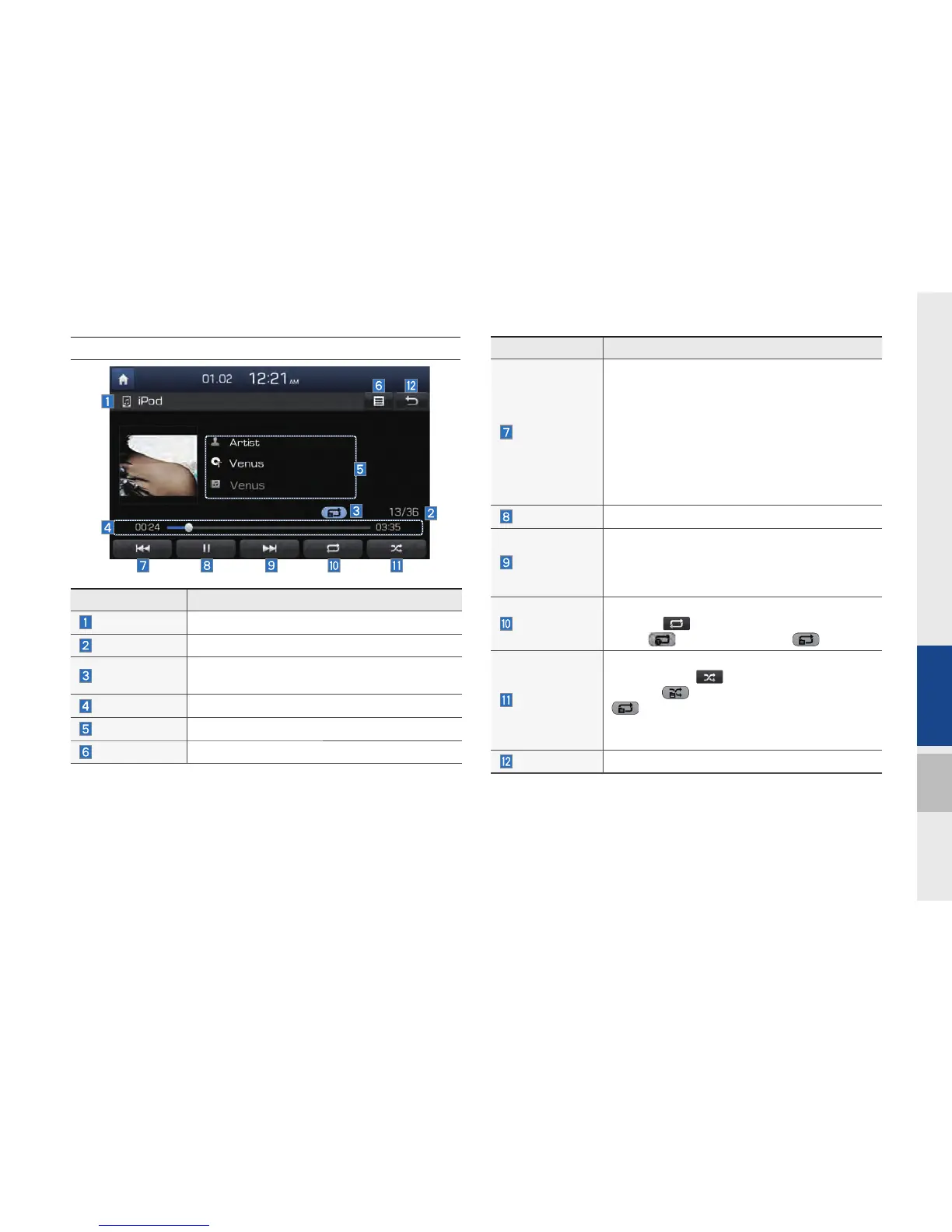
iPod
Features Description
Previous File
If press button short (less than 0.8 seconds):
Moves to the previous file or play the current file
from the beginning (Depends on the play time)
•
If play time is less than 3 seconds, moves to
previous file
•
If play time is over than 3 seconds, play the
current file from the beginning
If press button long (over than 0.8 seconds) it
rewinds the track.
Play/Pause
Plays/pauses the current file
Next File
•
If press button short(less than 0.8 seconds),
Moves to the next file
•
If press button long(over than 0.8 seconds), it
does fast-forward the track.
Repeat
Repeats the current file
Press the
button to switch between repeating
1 track
, and turning repeat off
Shuffle
Plays files in random order
When pressing
button, it changes to shuffle
category
→
deactivate shuffle then repeat
•
Shuffle Category: Shuffle song in the current
category
Back Button
Move to home/previous mode screen
Features Description
Mode
Displays currently operating mode
Song Index
Shows the current song/total songs
Repeat/Shuffle
From Repeat/Shuffle, displays the currently
operating function
Play Time
Displays the current play time/total play time
Song Info
Displays the artist/song title/album info
List
Moves to the list screen
H_DH_G4.5[L]AV PART2.indd 2-31H_DH_G4.5[L]AV PART2.indd 2-31 2014-07-02 오후 5:12:272014-07-02 오후 5:12:2


 To Next Page
 Loading...