KEEBOX Wireless 11n Router
MAC Filter
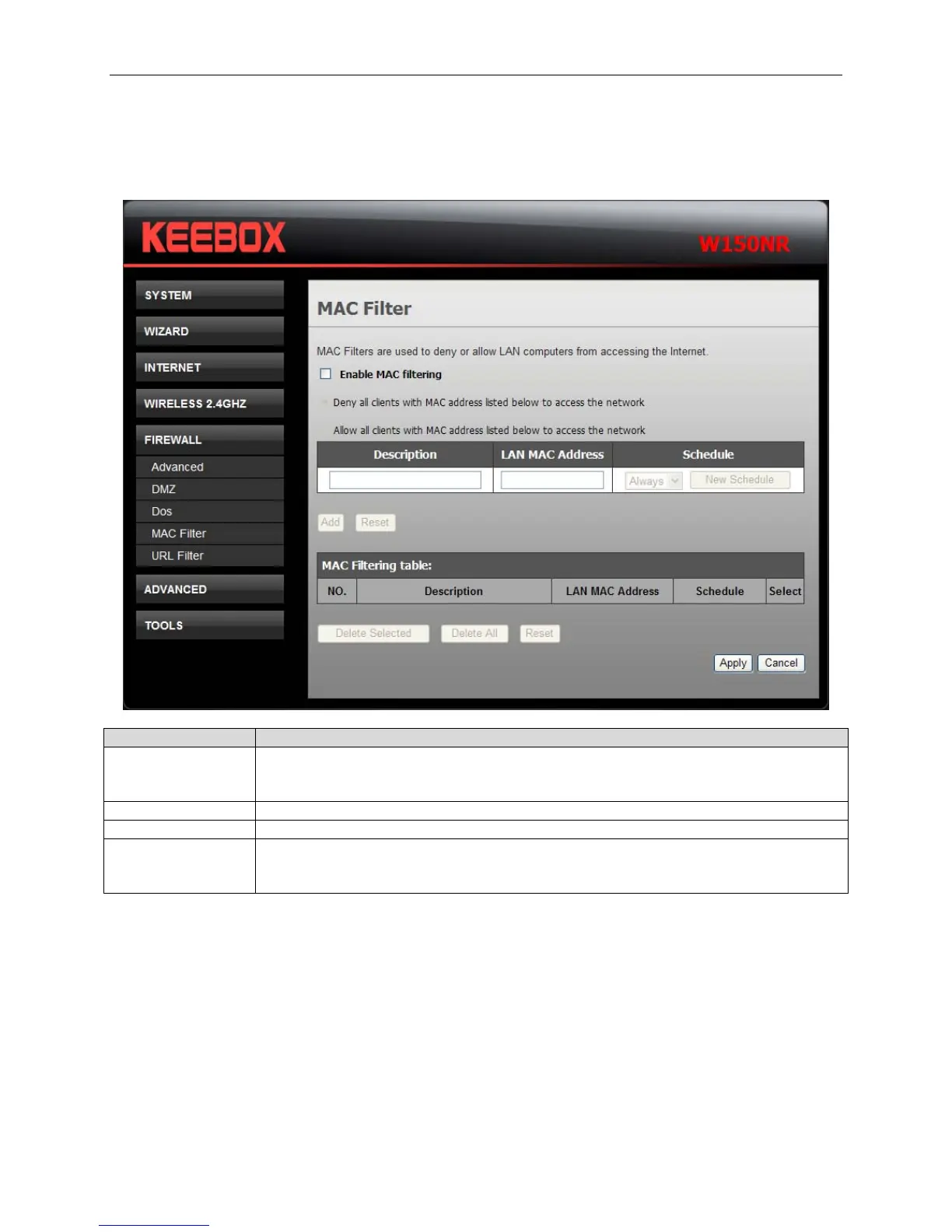
Use MAC (Media Access Control) Filters to allow or deny LAN (Local Area Network) computers by their
MAC addresses from accessing the Network.
Fields Description
Enable MAC
filtering
Tick Enable Wireless MAC Filter check box and click the Deny all clients with
MAC address listed below to access the network, or Allow all clients with
MAC address listed below to access the network of the filtering policy.
Description Enter the description for this MAC filtering rule.
LAN MAC address Enter the MAC address of LAN to block.
Schedule Use the drop-down list to choose the appropriate time to enable the MAC filtering
function. Select Always to enable the function all the time. To create a new
schedule, click New Schedule to link to System > Schedule.
Click Add to save the changes and see the rule in the MAC Filtering table. To remove a specific entry,
tick the corresponding check boxes under Select, and click Delete Selected. To remove all entries, click
Delete All. Click Reset to clear all the information that has not been saved.
Click Apply to save the changes.
36


 To Next Page
 Loading...

