KEEBOX Wireless 11n Router
Routing
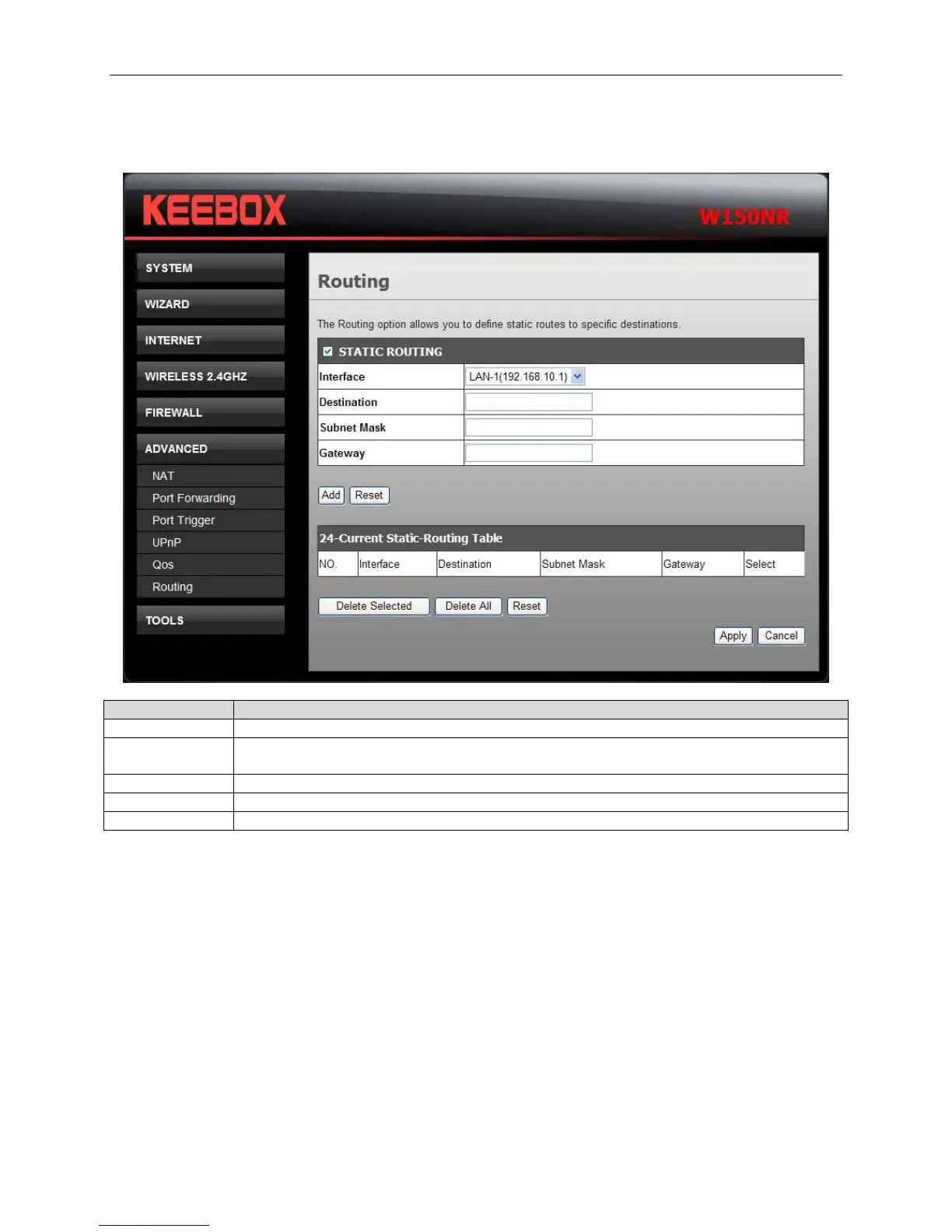
This window allows you to define static routes to defined destinations.
Fields Description
Static Routing Tick this checkbox to enable or disable static routes to defined destinations.
Interface Use the drop-down menu to choose the Interface that the IP packet must use to transit
out of the Router.
Destination The IP address of the packets that will take this route.
Subnet Mask Enter the subnet mask of the IP address
Gateway Enter the next hop to be taken if this route is used.
Click Add to save the changes and see the rule in the MAC Filtering table. To remove a specific entry,
tick the corresponding check boxes under Select, and click Delete Selected. To remove all entries, click
Delete All. Click Reset to clear all the information that has not been saved.
Click Apply to save the changes.
43


 To Next Page
 Loading...

