10-18
Troubleshooting
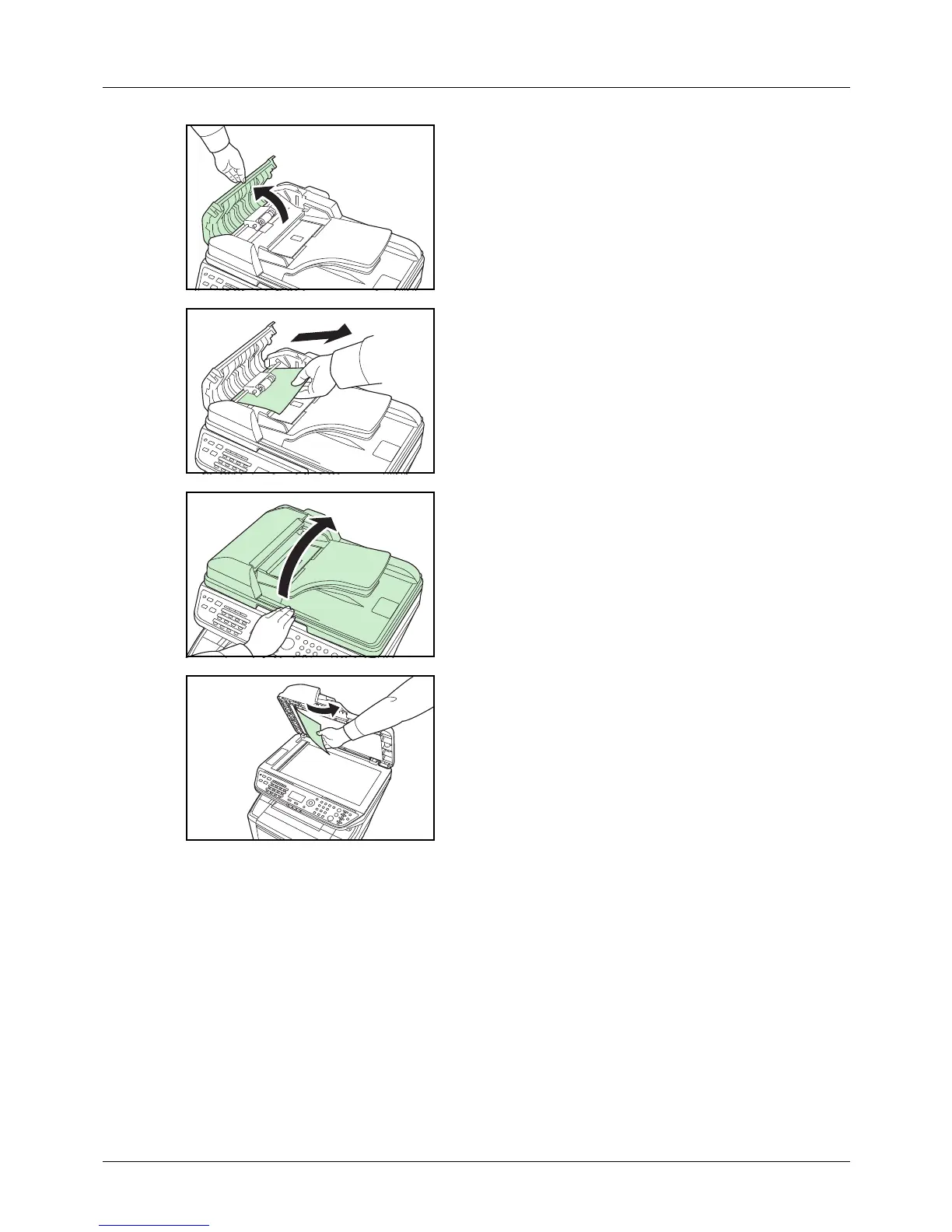
2 Open the left cover of the document processor.
3 Remove the jammed original.
If the original is caught in the rollers or difficult to remove,
proceed to the next step.
4 Open the document processor.
5 Remove the jammed original.
If the original tears, remove every loose scrap from
inside the machine.
6 Close the document processor.
7 Place the originals.



 To Next Page
 Loading...










