35
EXTERNAL EQUIPMENT SETUP
HD RECEIVER SETUP
To prevent the equipment damage, never plug in any power cords until you have finished connecting all
equipment.
I
mage shown may differ from your TV.
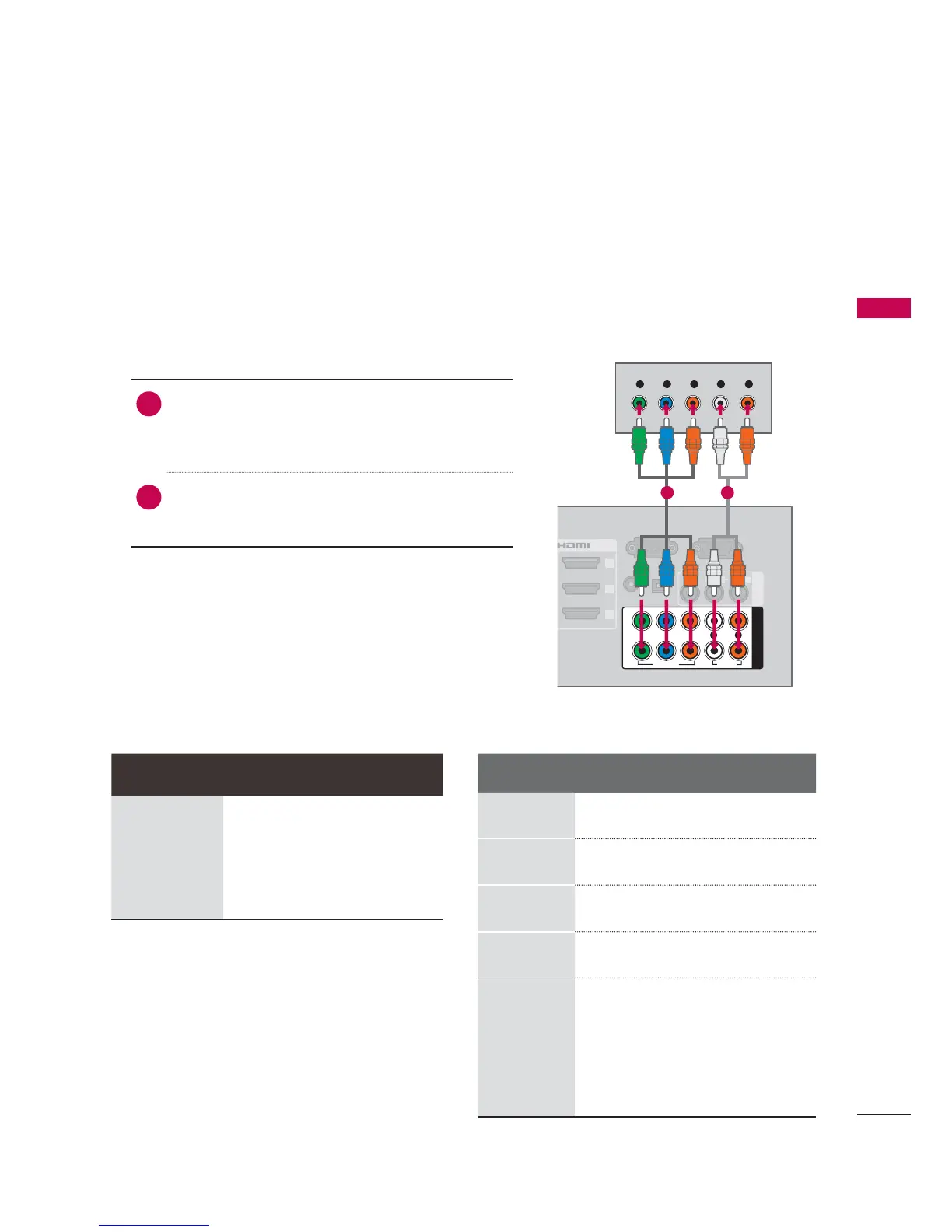
1. How to connect
1
Connect the video outputs
(
Y, P B, PR
)
of the
digital set-top box to the COMPONENT IN
VIDEO 1 or 2 jacks on the TV. Match the jack
colors (Y = green, P
B = blue, and PR = red).
2
Connect the audio output of the digital set-top
box to the COMPONENT IN AUDIO 1 or 2 jacks
on the TV.
2. How to use
Turn on the digital set-top box.
(
Refer to the owner’s manual for the digital set-top
box operation.
)
Select the Component1 or Component2 input
source on the TV using the
INPUT button on the
remote control.
Component Connection
This TV can receive digital over-the-air/digital cable signals without an external digital set-top box.
However, if you do receive digital signals from a digital set-top box or other digital external device.
EXTERNAL EQUIPMENT SETUP
RGB IN (PC)
(RGB/DVI)
RS-232C IN
(
CONTROL&SERVICE)
OPTICAL
DIGITAL
/DVI IN
2
3
1
VIDEO
AUDIO
L(MONO)
R
AV IN 1
AUDIO IN
AUDIO OUT
VIDEO
AUDIO
COMPONENT IN
YP
B
P
R
L R
2
1
Y L RP
B
P
R
1 2
Supported Resolutions Y, CB/PB, CR/PR
Signal Component HDMI
480i Yes No
480p Yes Yes
720p Yes Yes
1080i Yes Yes
1080p Yes Yes
Resolution
Horizontal
Frequency
(
KHz
)
Vertical
Frequency
(
KHz
)
720x480i
15.73 59.94
15.73 60.00
720x480p
31.47 59.94
31.50 60.00
1280x720p
44.96 59.94
45.00 60.00
1920x1080i
33.72 59.94
33.75 60.00
1920x1080p
26.97 23.976
27.00 24.00
33.71 29.97
33.75 30.00
67.432 59.94
67.50 60.00


 To Next Page
 Loading...