ONTROL
RS-232C IN
(
CONTROL&SERVICE)
OPTICAL
DIGITAL
/DVI IN
2
3
1
VIDEO
AUDIO
L(MONO)
R
VIDEO
AUDIO
COMPONENT INAV IN 1
YP
B
P
R
L R
AUDIO OUT
2
1
RGB IN (PC)
RGB OUTPUT
AUDIO
(RGB/DVI)
AUDIO IN
PC SETUP
This TV provides Plug and Play capability, meaning that the PC adjusts automatically to the TV's set-
tings.
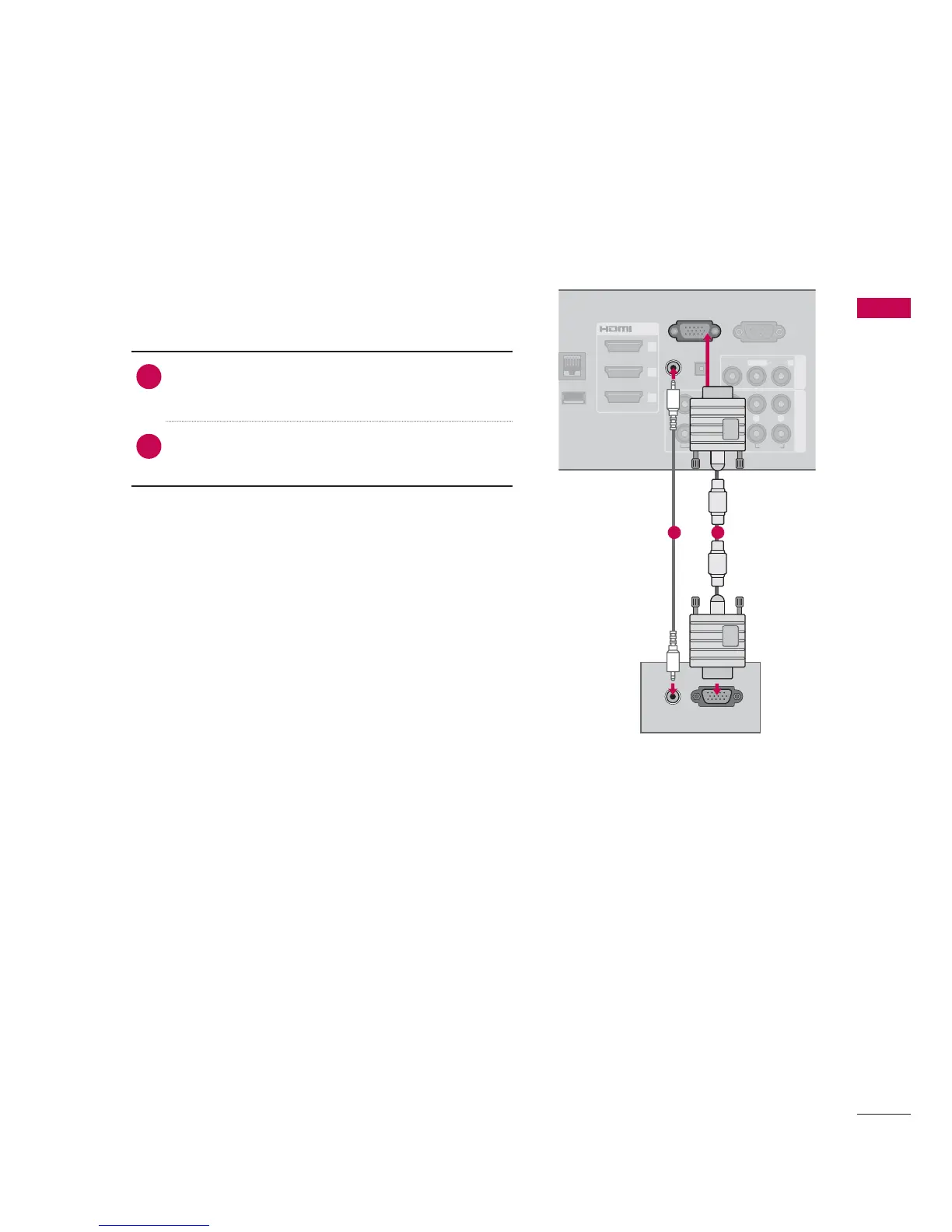
1. How to connect
1
Connect the VGA output of the PC to the
RGB IN
(
PC
)
jack on the TV.
2
Connect PC audio output to the AUDIO IN
(
RGB/DVI
)
jack on the TV.
2. How to use
Turn on the PC and the TV.
Select the RGB-PC input source on the TV using
the
INPUT button on the remote control.
VGA (D-Sub 15 Pin) Connection
12


 To Next Page
 Loading...