EXTERNAL EQUIPMENT SETUP
EXTERNAL EQUIPMENT SETUP
48
EXTERNAL EQUIPMENT WIRELESS CONNECTION
(OPTIONAL)
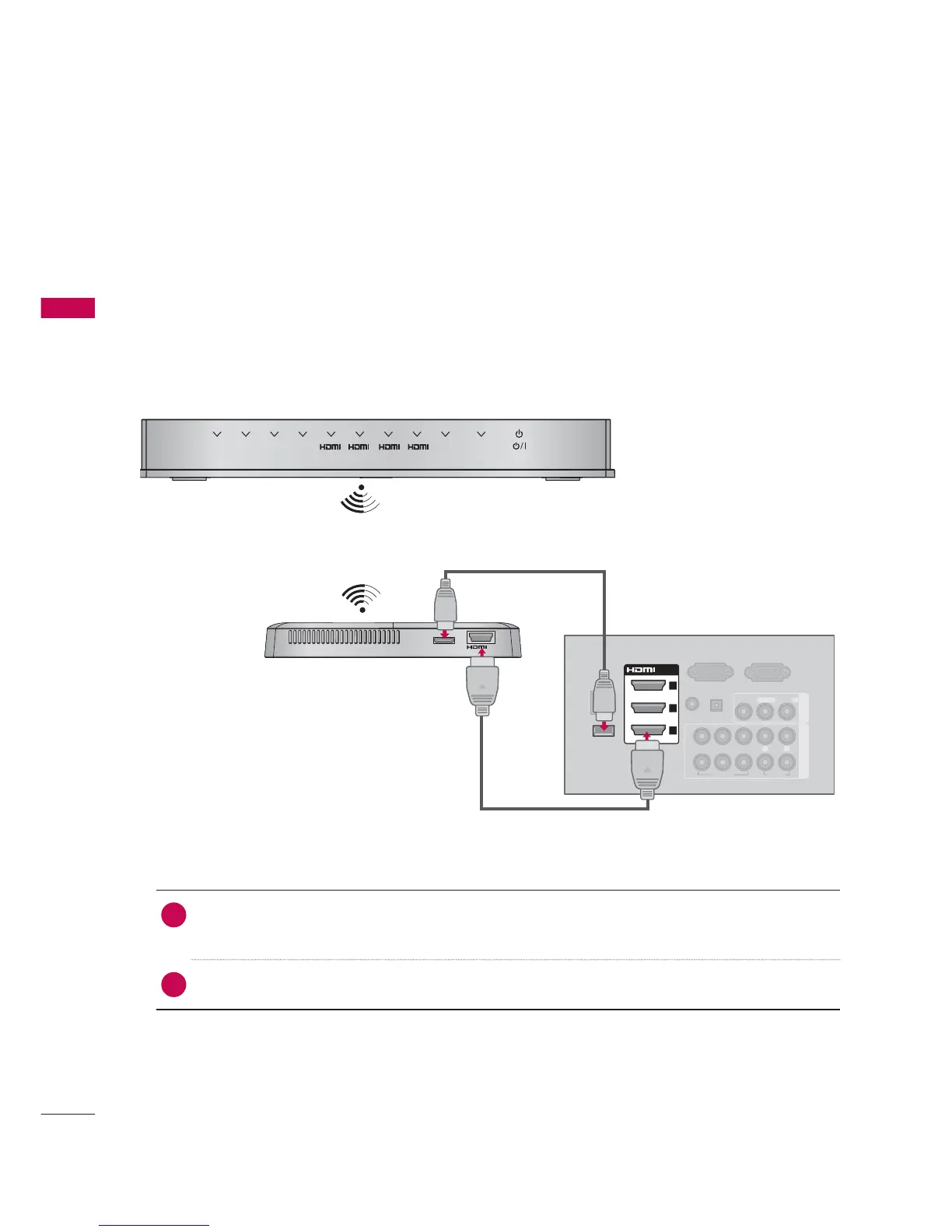
You can connect between TV and external equipment wirelessly.
You can connect the Wireless Dongle to the TV to control the external input devices connected to
Media Box wirelessly.
You can control the remote control of external device (VCR, DVD player etc.) connected to the Media
box from the TV using the infrared controller called IR-Blaster.
For further information, refer to the optional “LG Wireless Media Box (AN-WL100) (Sold separately)”
manual for operating instructions.
RGB IN (PC)
LAN
(RGB/DVI)
RS-232C IN
(
CONTROL&SERVICE)
OPTICAL
DIGITAL
VIDEO
AUDIO
L(MONO)
R
VIDEO
AUDIO
COMPONENT INAV IN 1
YP
B
P
R
L R
AUDIO IN
AUDIO OUT
2
1
WIRELESS
CONTROL
OUT
WIRELESS
CONTROL
AV1 AV2
COM1 COM2
1
RGB WIRELESS
2 3 4
/DVI IN
2
3
1
1. How to connect
1
Connect the WIRELESS CONTROL jack of the Wireless Dongle to the WIRELESS
CONTROL jack on the TV.
2
Connect HDMI OUT jack of the Wireless Dongle to the HDMI IN jack on the TV.
2. How to use
Select the desired input source on the TV using the INPUT button on the remote control.
Refer to the Wireless Media Box manual for operating instructions.


 To Next Page
 Loading...