Contacts 66
Save a Phone Number
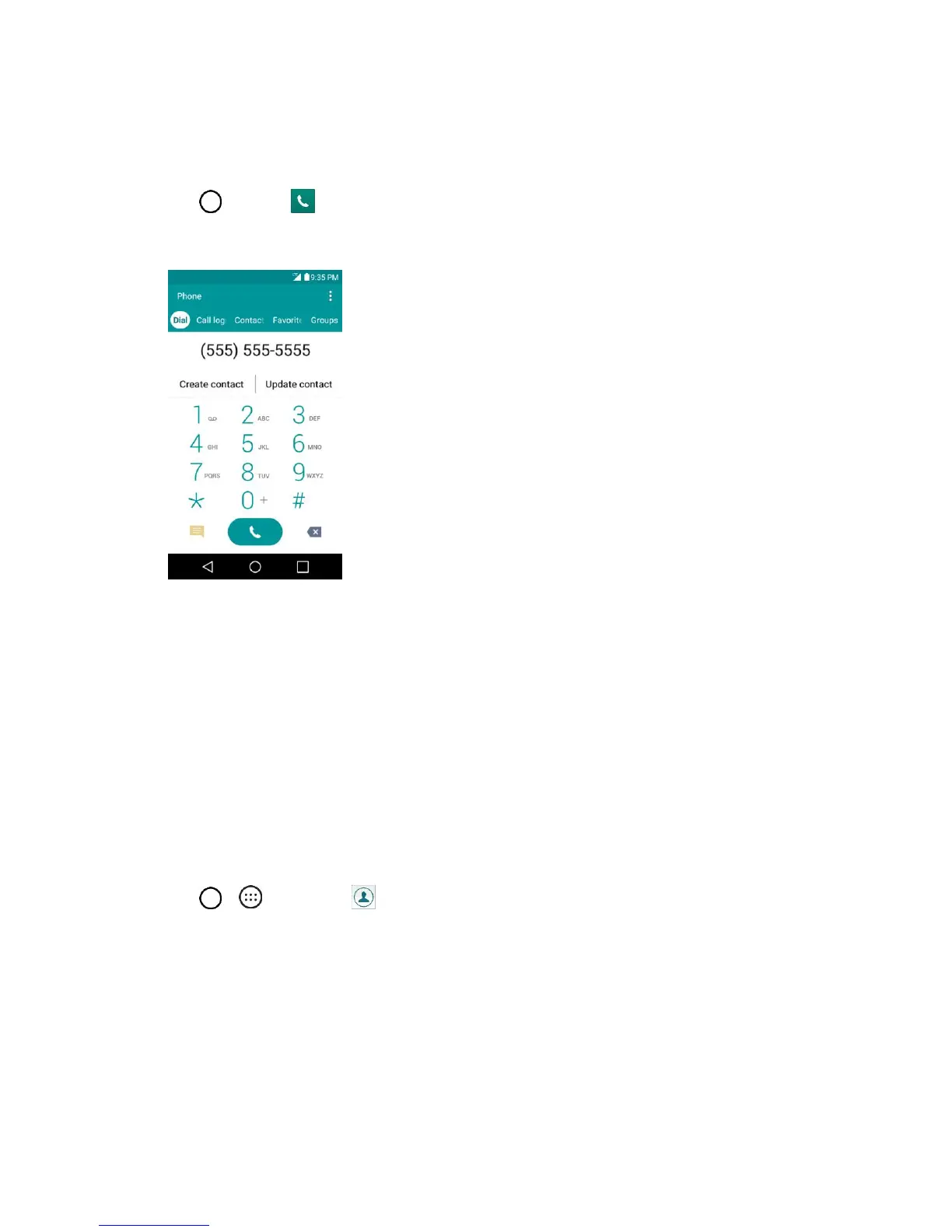
You can save a phone number to Contacts directly from the phone keypad.
1. Tap > Phone .
2. Enter a phone number.
3. To add the number to an existing contact, tap Update contact. To add a new contact, tap Create
contact.
For an existing contact, tap the contact name and select a number type for the new number.
For a new contact, enter the name and any additional information.
4. Tap SAVE.
The contact is added.
View Contacts
View a contact‘s details by displaying a contact entry.
1. Tap > > Contacts .
2. Tap a contact to view its details.


 To Next Page
 Loading...