29
Using the Flash
Basic Photography and Playback: L (Auto) Mode
j Note on Using the Flash
When using the flash at a wide-angle zoom position, reflections from dust particles in the air
may appear as bright spots in pictures. To reduce these reflections, set the flash to B (Off) or
zoom in on the subject.
k When Lighting is Poor
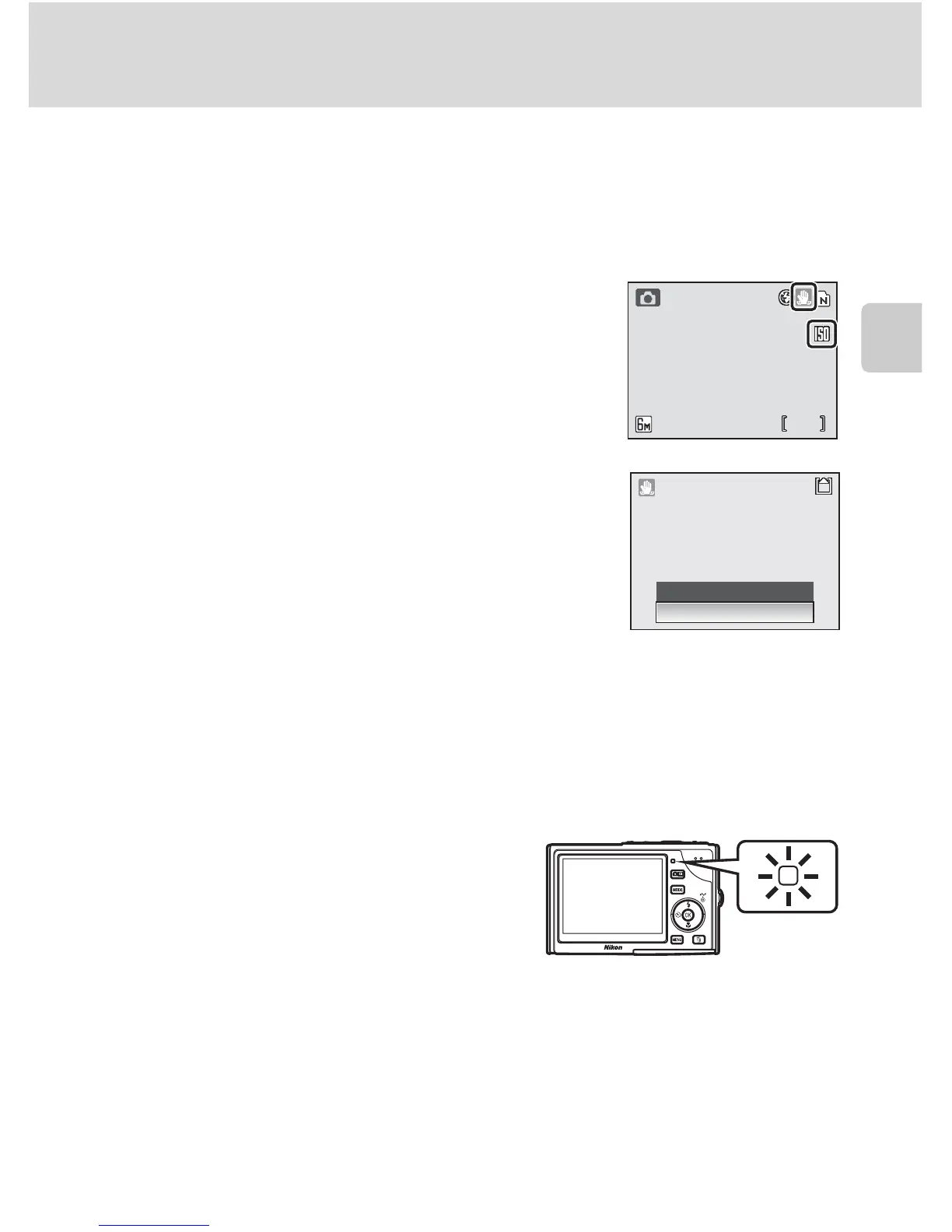
When lighting is poor and the flash is off (B), the y or W
icon may appear on the monitor. Note the following.
• Place the camera on a flat, level surface or use a tripod (rec-
ommended).
•The W icon is displayed when the camera increases sensitiv-
ity from the normal sensitivity to minimize blur caused by
slow shutter speeds. The picture taken when the W icon is
displayed may be slightly mottled.
• If the warning at right is displayed after a picture is taken,
the picture may be blurred. Select [No] to exit without
recording the picture.
• The camera may process pictures to reduce noise, which
makes recording time increase.
k The AF-assist Illuminator
If lighting is poor, the AF-assist illuminator may light to assist the focus operation when the
shutter-release button is pressed halfway. The illuminator has a maximum range of about
1.9 m/6 ft. 3 in. (t) to 1.1 m/3 ft. 7 in. (v). The AF-assist illuminator is not available in some
modes (c 32-43) and can also be turned off manually (c 103), although in this case the
camera may not focus when lighting is poor.
k The Flash Lamp
The flash lamp indicates flash status when the shut-
ter-release button is pressed halfway.
• On: Flash will fire when picture is taken.
• Blinks: Flash charging. Wait a few seconds and try
again.
• Off: Flash will not fire when picture is taken.
k Red-Eye Reduction
• The COOLPIX S9 is equipped with an advanced red-eye reduction system. Pre-flashes are
fired several times at low intensity before the main flash to reduce “red-eye.” If the camera
detects “red-eye” after a picture is taken, Nikon’s own In-Camera Red-Eye Fix processes
the image as it is recorded. Therefore, there is a slight delay before the shutter-release but-
ton operates normally to take another picture.
•
Red-eye reduction may not always produce the desired results. In some rare cases, other por-
tions of pictures may be affected. Should this occur, choose another flash mode and try again.
18


 To Next Page
 Loading...











