Adjust Viewfinder
Focus
The camera
is
equipped
with
diopter
adjustment
to
accommodate
individual differences in vision. Check
that
the
display in
the
viewfinder
is
in focus before shooting.
1
lift
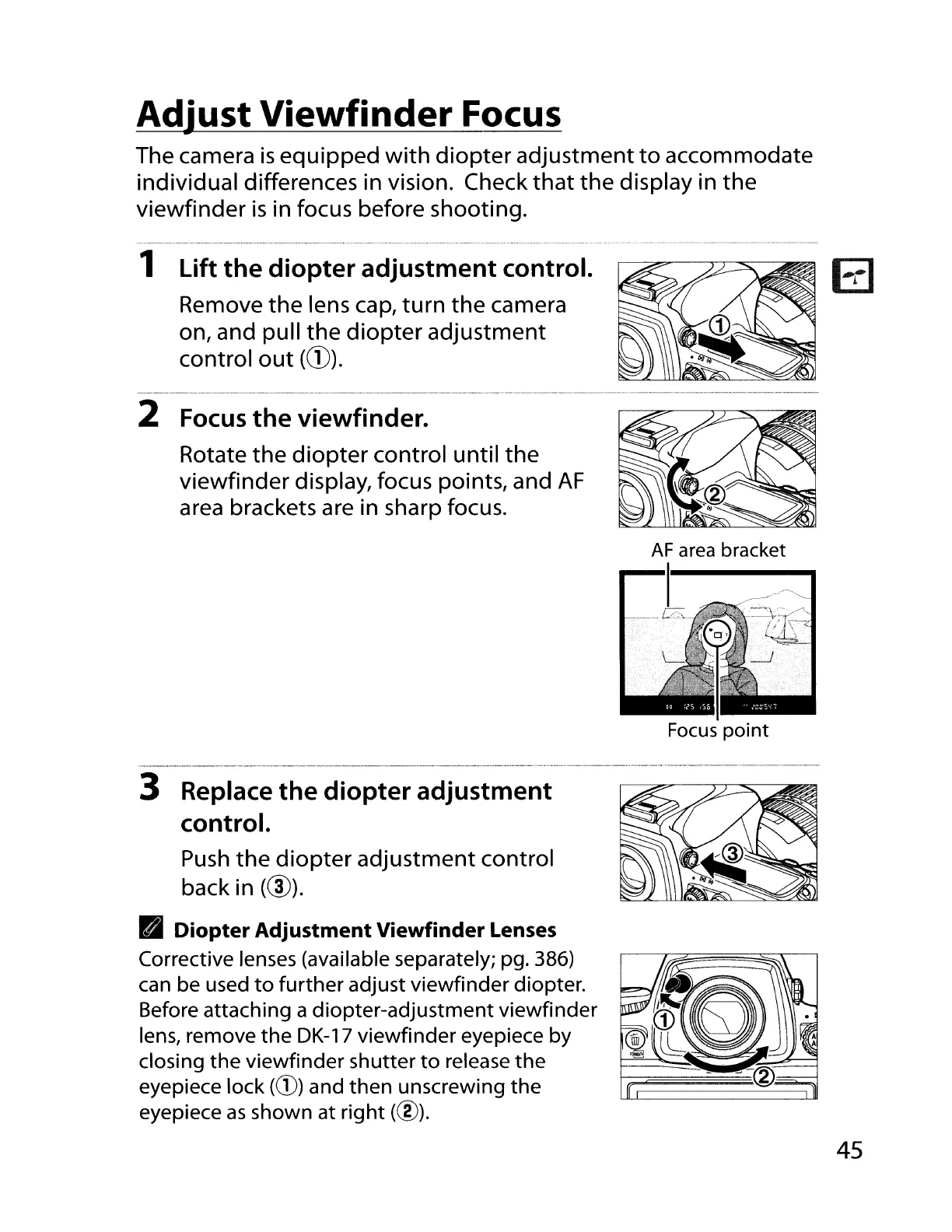
the diopter adjustment control.
Remove
the
lens cap,
turn
the
camera
on, and pull
the
diopter
adjustment
control
out
(CD).
2
Focus
the viewfinder.
Rotate
the
diopter
control until
the
viewfinder display, focus points, and
AF
area brackets are in sharp focus.
AF
area bracket
I
[Ll
Focus
point
3 Replace the diopter adjustment
control.
Push
the
diopter
adjustment control
back in
(@).
• Diopter Adjustment Viewfinder
Lenses
Corrective lenses (available separately; pg. 386)
can be used
to
further
adjust viewfinder diopter.
Before attaching a diopter-adjustment viewfinder
lens, remove
the
DK-17 viewfinder eyepiece by
closing the viewfinder shutter
to
release
the
eyepiece lock
(CD)
and then unscrewing the
eyepiece
as
shown at right (@).
45


 To Next Page
 Loading...










