22
5
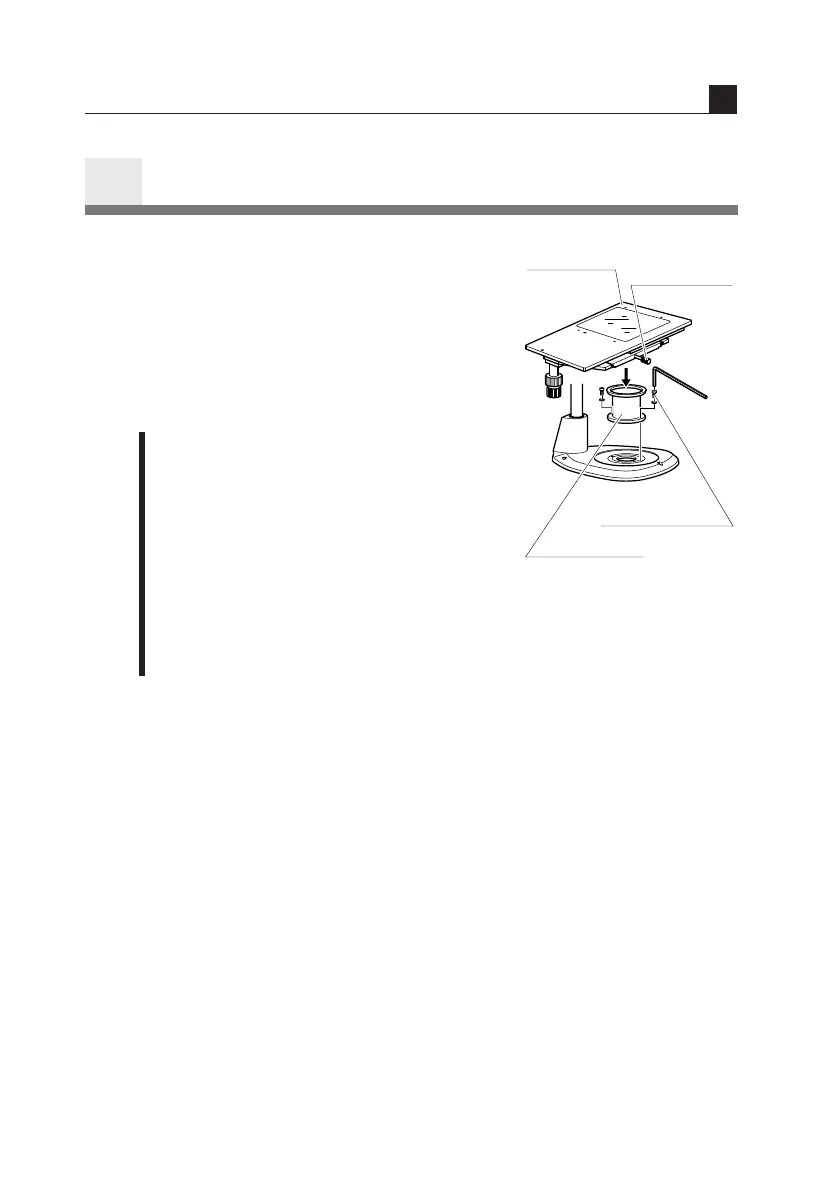
SM-S4L 4 X 4 Stage L
SM-S4L 4 X 4 stage L may be attached by
using the C-4SA stage adapter. In this case,
use the C-ER auxiliary adapter or C-EP
extension pillar because the position of the
sample will become higher. (Refer to “4. If
you cannot focus on the sample though the
zooming body is at the highest position.”.)
1 Remove the stage plate from the stand
base, and attach the C-4SA stage
adapter in place using the fixing screws
supplied with the adapter.
2 Sufficiently loosen the stage clamp
screw of the SM-S4L 4 X 4 stage L. Fit
and mount the stage onto the stage
adapter with the side equipped with the
stage clamp screw facing front. Tighten
the stage clamp screw.
Using Accessories
IV
4 X 4 stage
Stage
clamp screw
Stage adapter
fixing screw
Stage adapter


 To Next Page
 Loading...