- 73 -
3. Basic Operations
The procedure when loading paper in Tray 1 is used as an example, and the same procedure
applies to Tray 2/3 (optional).
1
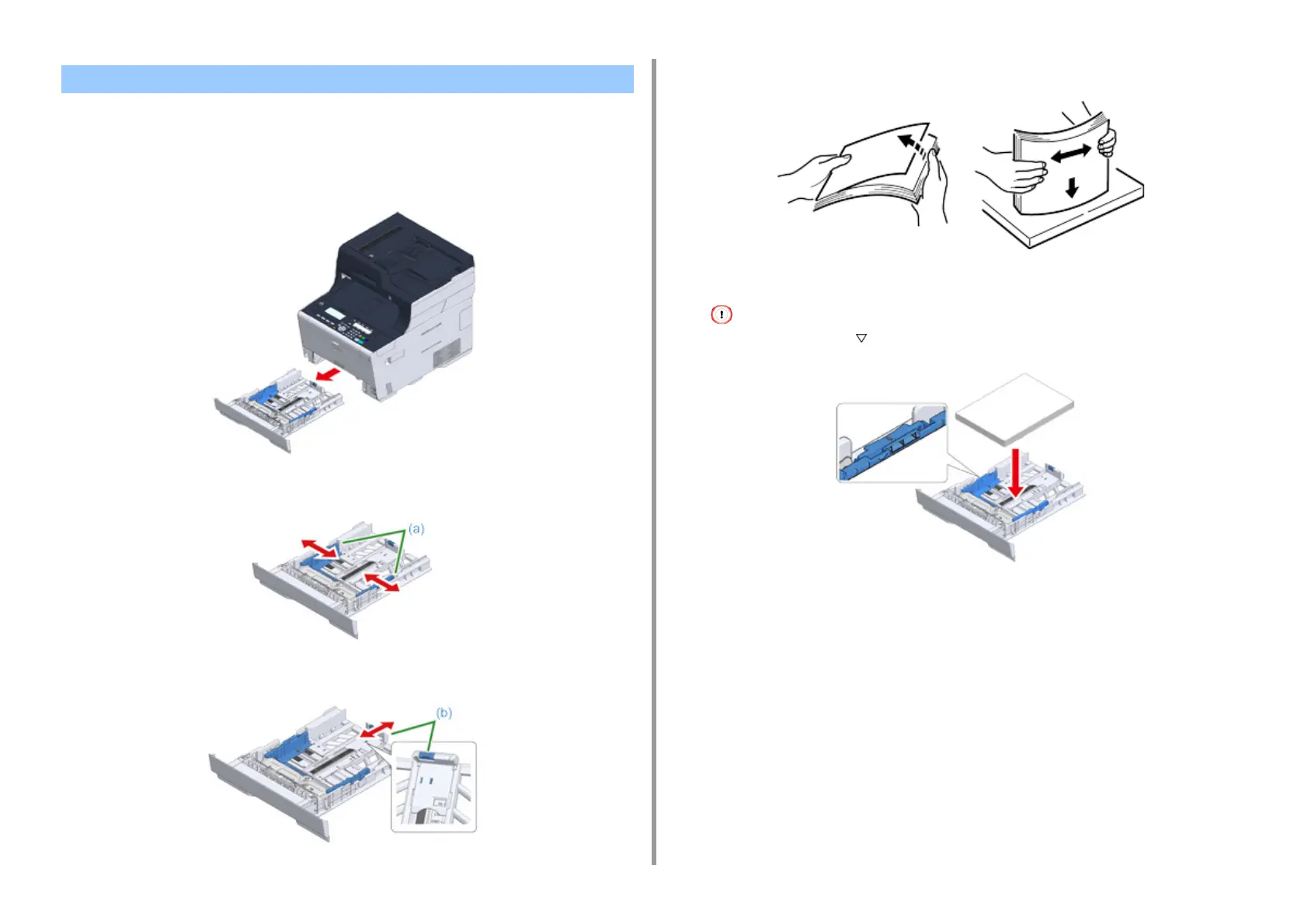
Pull the paper cassette out.
2
Slide the paper guide (a) to the width of paper to be loaded.
3
Slide the paper stopper (b) to the length of paper to be loaded.
4
Fan a stack of paper well, and then align the edges of the paper.
5
Load paper with the print side face down.
Do not load paper above the " " mark on the paper guide.
6
Secure the loaded paper with the paper guide.
Loading Paper in Tray 1/2/3


 To Next Page
 Loading...