Extender Network Settings
23
N300RE WiFi Range Extender
Your changes are saved.
To recover your password:
1. In the
address field of your browser, type www.mywifiextender.net.
A login window displays.
2. Click Cancel.
If password recovery is enabled, you are prompted to answer two security questions.
3. Enter the
saved answers to the security questions.
Upgrade the Firmware
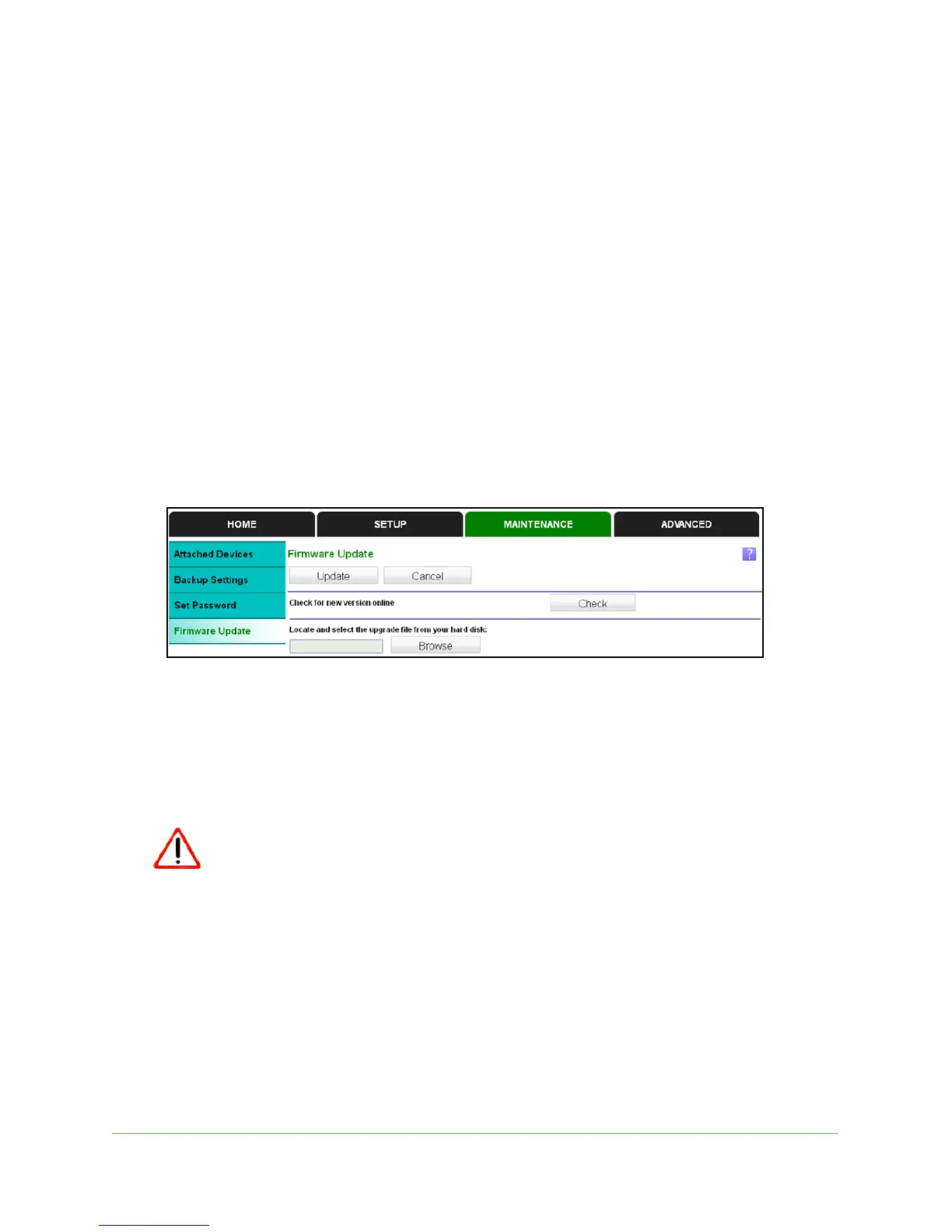
You can check for firmware. If new firmware is available, you can upgrade the extender.
To upgrade the firmware:
1. Select Ma
intenance > Firmware Upgrade.
2. Click Check to see if new firmware is available.
3. If
new firmware is available, follow the onscreen prompts to download it onto your computer.
4. Use
the Browse field to locate and select the new firmware.
5. Click Upload
to install the new firmware on your extender.
The firmware upgrade begins.
Once you start the firmware upgrade, do not try to go online, turn off the
extender, shut down the computer, or do anything else to the extender
until it finishes upgrading.
The extender restarts.


 To Next Page
 Loading...