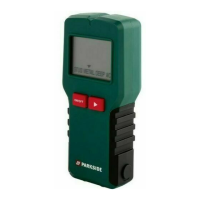
29 GB/IE/NI
measurements and results will be
cleared from the display
2
.
Measuring surface
areas
1. Slide the function switch
9
to the
position “MEAS / DETECT” mode.
The display
2
will be turned on. If
display
2
is not turned on, briefly
press the POWER button
12
to turn
on the display
2
.
2. Press the MODE button
10
once. The
measuring mode indication symbol
27
for area will appear on the display
2
and the letter “L“ (length) will flash
on the display
2
.
3. Press the MEAS button
6
twice to
measure the length. The measured
length will appear in the upper row
20
of the display
2
and the letter
“W“ (width) will start to blink on the
display
2
.
4. Press the MEAS button
6
twice to
measure the width. The measured
width will appear in the upper row
20
of the display
2
. The results of


 To Next Page
 Loading...