PDR-7000 Operation Manual
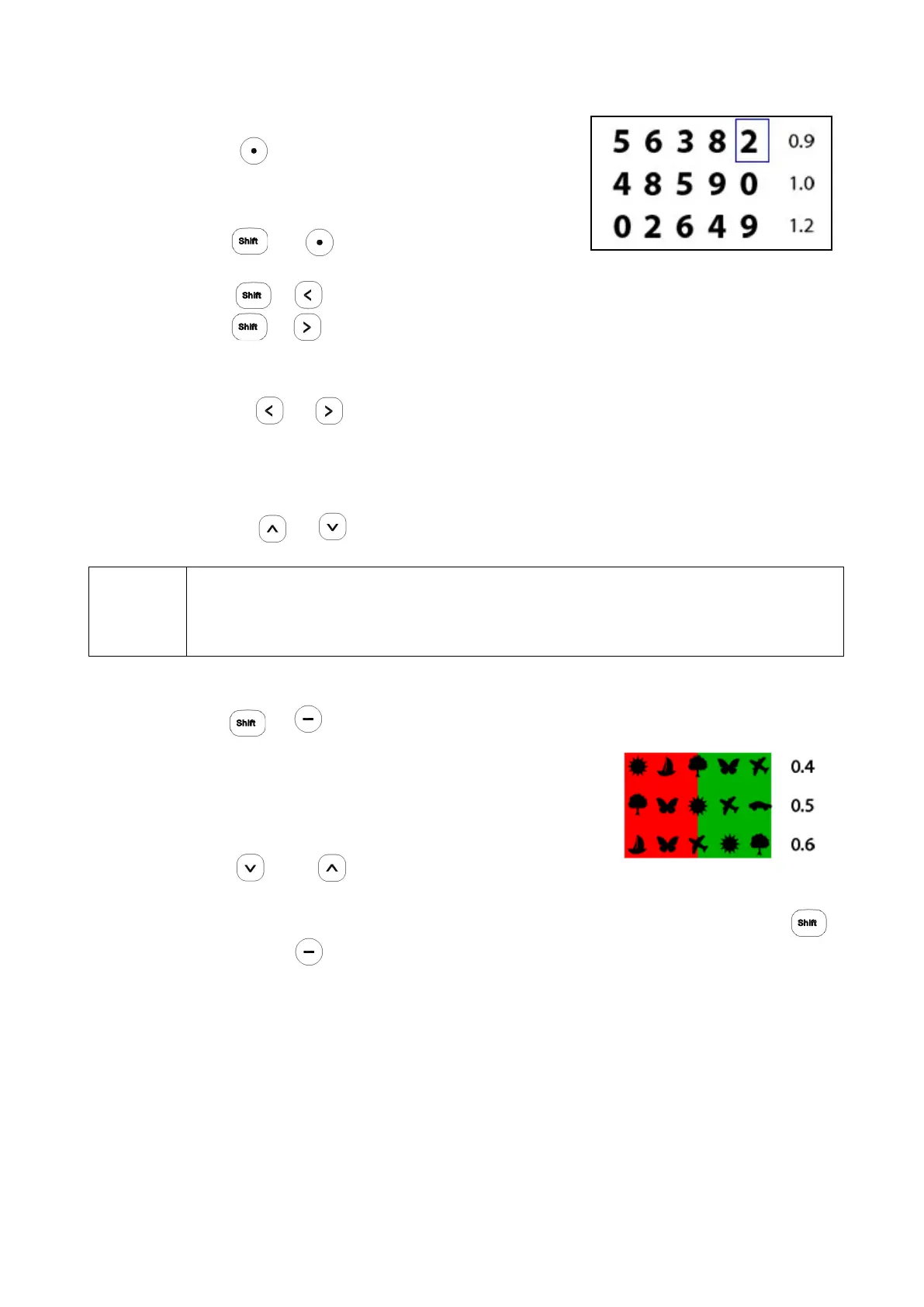
○ How to isolate a single letter
Press
The letter in the upper-right corner of the chart is
isolated.
Press +
The letter in the upper-left corner of the chart is isolated.
Press + The letter in the lower-left corner of the chart is isolated.
Press + The letter in the lower-right corner of the chart is isolated.
When a single letter is isolated:
Press or The isolation moves to the left or right.
(When the same key is pressed again to continue moving an isolation located at
one end of the chart, short beeps are audible and the isolation moves to the
opposite end of the chart.)
Press or The isolation moves up or down.
NOTE
There are two letter charts of 1.0 to 2.0 to prevent patient memorization. When the
vertical line or single letter isolation is moved to up or down, or the same visual
acuity chart is selected twice or more, the two charts are presented alternately.
○ How to apply the red-green filter
Press +
The red-green filter is applied to the presented visual
acuity chart.
While the red-green filter is applied :
Press or The visual acuity chart changes to
another.(It is only used when the 'Keeping Red & Green Filter' parameter item value is
set as Yes.)
Press + The red-green filter is released.
○ How to release the mask and filter
Pressing any chart button releases the applied mask or filter.
- 35 -


 To Next Page
 Loading...
