PDR-7000 Operation Manual
3.13 Touch-screen Panel Calibration
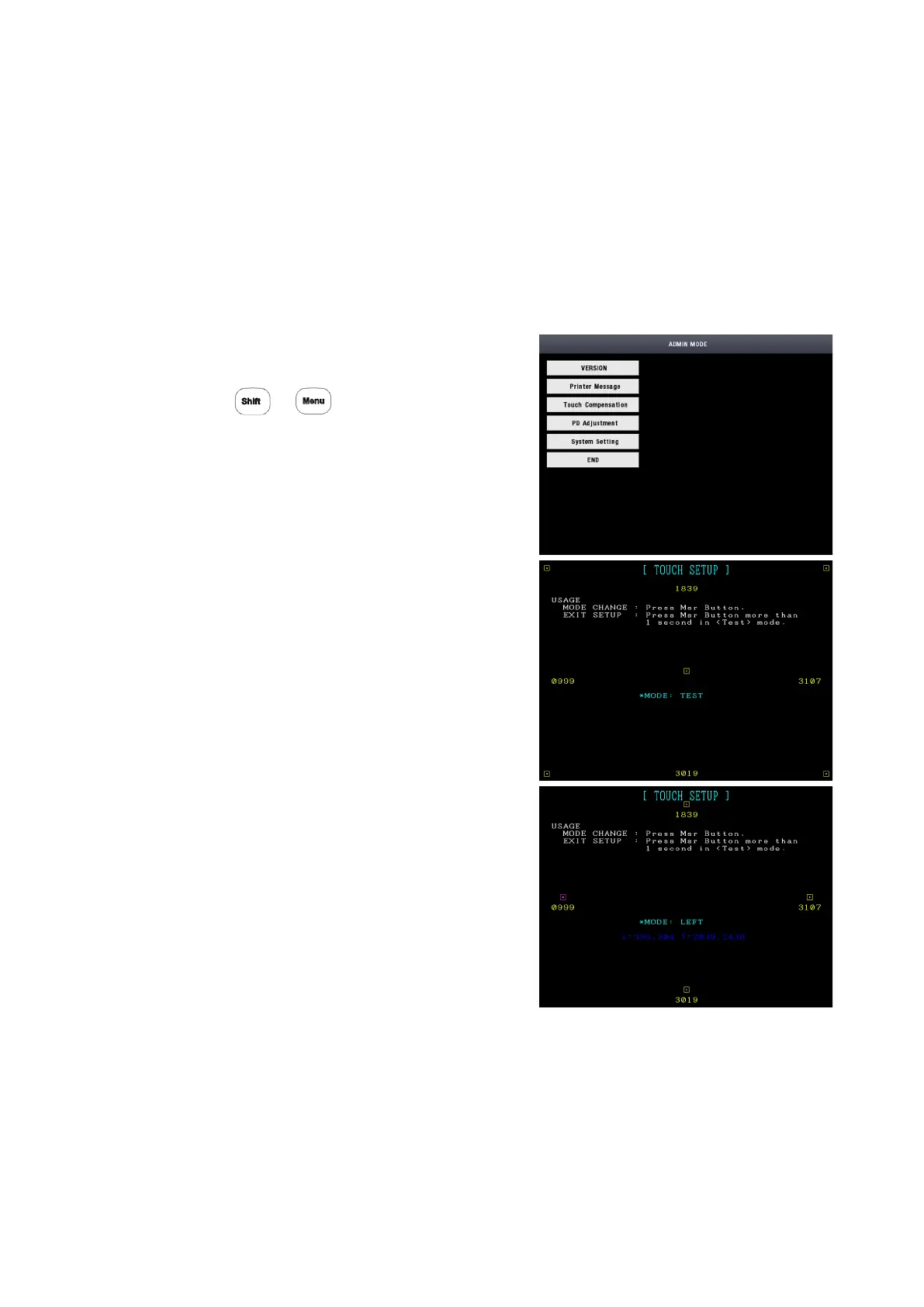
The touch-screen panel is calibrated.
When incorrect responses from the touch-screen panel are received, the detection
point of the touch screen panel may shift from the pressure point of the touch-
screen pen. In this case, calibrate the touch screen panel.
The calibration must be performed when the display is tilted to the operator’s side.
1. Display the Management Menu window.
Press +
2. Select [Touch Compensation] button
3. Touch the center of the rectangle in the
center of the screen.
4. Push the Dial-switch.
5. Repeat the same operation according to
the instructions for each mode to be
changed.
MODE : TESTLEFTRIGHTTOPBOTTOM
6. When you push the dial switch more
than 1 second(displayed MODE : EXIT),
return to the Admin mode.
- 50 -


 To Next Page
 Loading...
