61
Chapter 4 - Performing Cutting Using a Computer
4-2. Setting the Cutting Parameters
Cutting-in Depth and Cut-out Amount
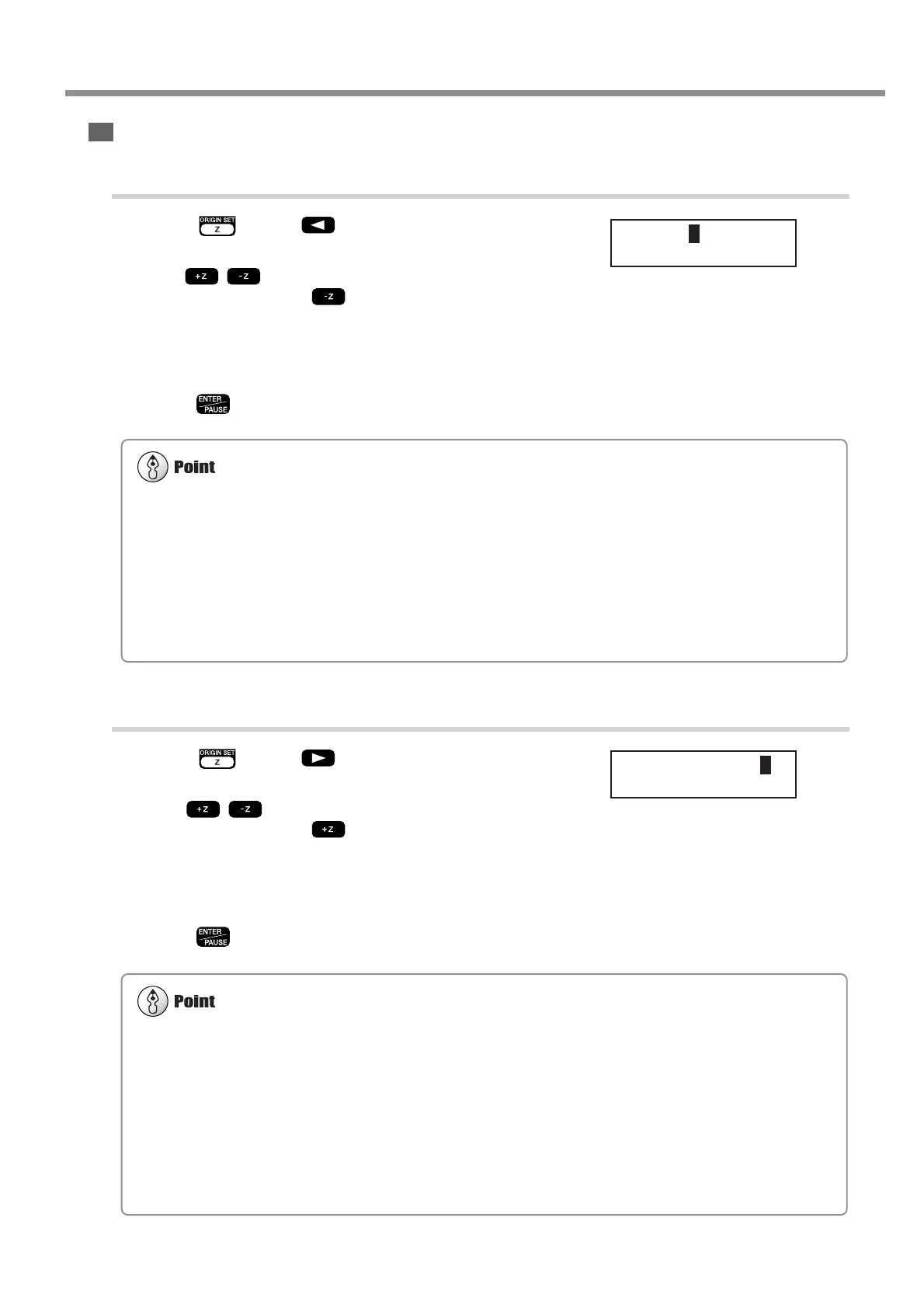
Setting the Cutting-in Depth
1
Press . Press to move the blinking cursor to
[Z1].
2
Use to set the cutting-in amount. If the value is
[------], then hold down until it changes to a numerical
value.
At this time the spindle moves up and down and the position when cut-
ting-in is performed (the Z1 position) is displayed. You can set the cut-
ting-in depth as you verify the actual Z1 position.
3
Press .
Setting the Cut-out Amount
1
Press . Press to move the blinking cursor to
[Z2].
2
Use to set the cut-out amount. If the value is
[------], then hold down until it changes to a numerical
value.
At this time the spindle moves up and down and the position of cut-out
(the Z2 position) is displayed. You can set the cut-out amount as you
verify the actual Z2 position.
3
Press .
Important Notes on Setting the Cutting-in Depth
The cutting-in depth is a setting that indicates the amount of lowering from the Z-axis reference point (the Z0 position). If
the Z0 position changes, then the cutting-in position (the Z1 position) also changes by a corresponding amount.
The Z1 position cannot be set above the Z0 position. When the spindle is above the Z0 position, the value displayed is
[------], indicating that the setting cannot be made at this position.
Unit of Measurement for the Numerical Values
The measurement unit for the displayed values is 0.01 mm. When [-20] is displayed, for example, the cutting-in amount is
0.2 mm.
Important Notes on Setting the Cut-out Amount
The cut-out amount is a setting that indicates the amount of rise from the Z-axis reference point (the Z0 position). If the Z0
position changes, then the cut-out position (the Z2 position) also changes by a corresponding amount.
The Z2 position cannot be set below the Z0 position. When the spindle is below the Z0 position, the value displayed is
[------], indicating that the setting cannot be made at this position. This means that you cannot set a cut-out amount when the
Z0 position is at the highest point on the Z axis.
Unit of Measurement for the Numerical Values
The measurement unit for the displayed values is 0.01 mm. When [100] is displayed, for example, the cut-out amount is 1
mm.
SET Z1 Z0 Z2
UP < 0 >
SET Z1 Z0 Z2
DOWN < 0 >



 To Next Page
 Loading...