✤ The Remote function works in Camera/Player/M.Cam/M.Player modes.
✤ The Remote option allows you to enable or disable the remote control for use with the Camcorder.
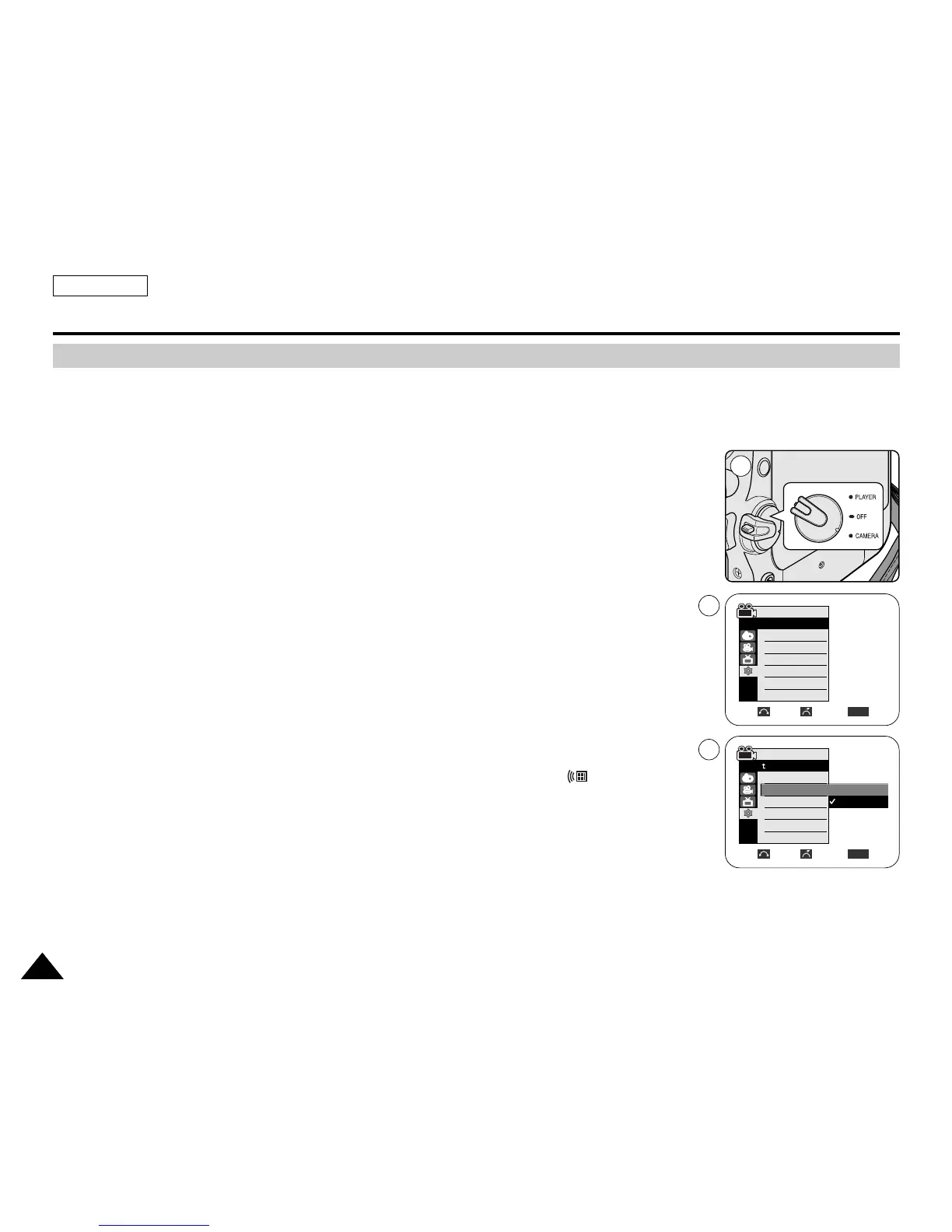
1. Set the Power switch to CAMERA or PLAYER.
2. Set the Mode switch to TAPE or MEMORY.
3. Press the MENU button.
■
The menu list will appear.
4. Move the Menu selector to the left or right to select System, then press the Menu selector.
5. Move the Menu selector to the left or right to select Remote, then press the Menu selector.
6. Move the Menu selector to the left or right to select On or Off, then press the Menu selector.
7. To exit, press the MENU button.
[ Note ]
If you set the Remote to Off in the menu and try to use it, the remote control icon ( )
will blink for 3 seconds on the LCD screen and then disappear.
ENGLISH
System Menu Setting
2828
Setting the Wireless Remote Control Acceptance (Remote) (SC-D457 only)
Move Select Exit
MENU
6
1
Off
On
Camera Mode
Back
Clock Set
Remote
Beep Sound
USB Version
Language
Demonstration
Camera Mode
√System
Clock Set
Remote
Beep Sound
USB Version
Language
Demonstration
√On
√On
√USB 2.0
√English
√On
Move Select Exit
MENU
4



 To Next Page
 Loading...










