52
GB
D:\NORM'S JOB\SONY HA\SO0129\STR-DH820_PMRF_01\4266497112_GB\GB04GET_STR-
DH820-CEL.fm
masterpage: Left
STR-DH820
4-266-497-11(2)
Tip
Adjust the direction of the AM loop antenna
(aerial) for optimum reception upon tuning to
an AM station.
3 Press .
If you cannot tune to a station
“– – – .– – MHz” appears and then the screen
returns to the current frequency.
Make sure you have entered the right
frequency. If not, repeat step 2. If you still
cannot tune to a station, the frequency may not
be in use in your area.
(USA and Canada models only)
You can change the AM tuning scale to either
9 kHz or 10 kHz using the buttons on the
receiver.
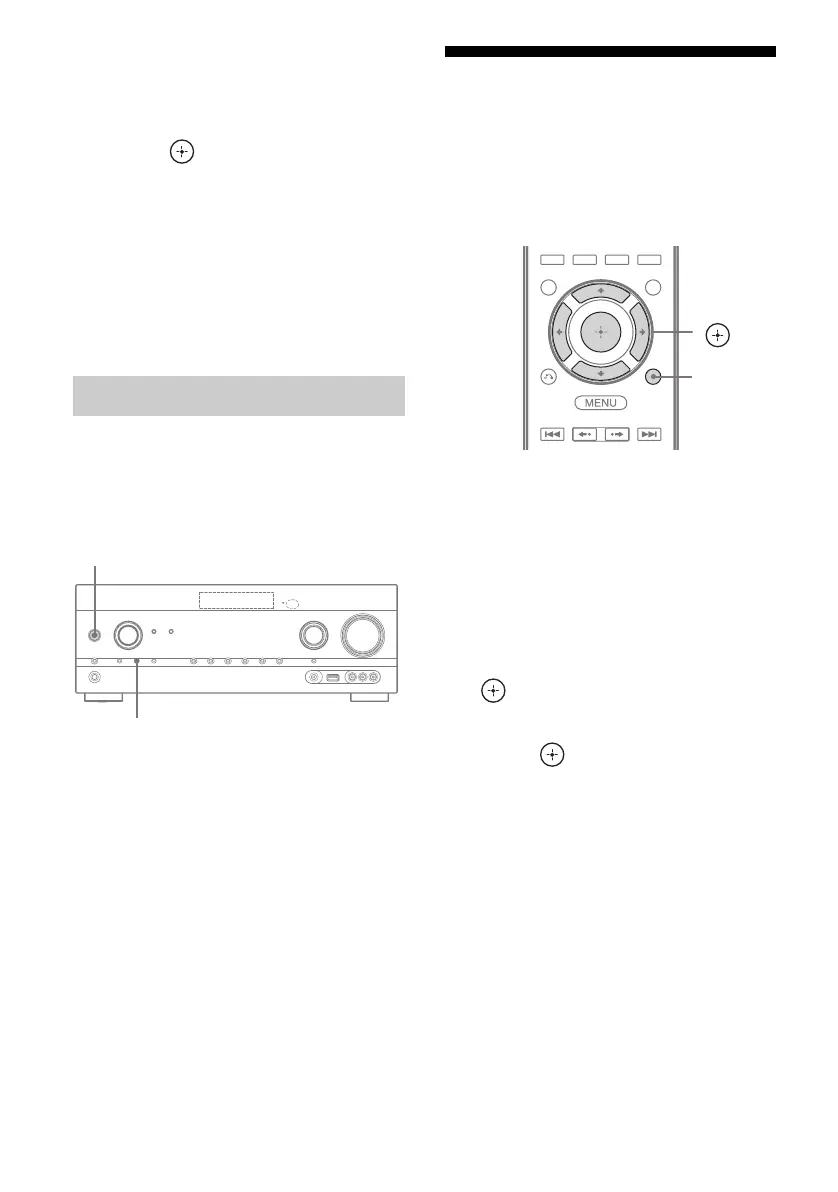
1 Press ?/1 to turn off the
receiver.
2 While holding down TUNING
MODE, press ?/1 on the
receiver.
3 Change the current AM tuning
scale to 9 kHz (or 10 kHz).
To reset the scale to 10 kHz (or 9 kHz),
repeat the procedure above.
Note
All preset stations will be erased when you change
the tuning scale.
Presetting FM/AM radio
stations
(Preset Tuning)
You can store up to 30 FM and 30 AM stations
as your favorite stations.
1 Tune to the station that you
want to preset using Auto
Tuning (page 51) or Direct
Tuning (page 51).
2 Press TOOLS/OPTIONS.
The option menu appears.
3 Select “Memory”, then press
or b.
4 Select a preset number, then
press .
The station is stored as the selected preset
number.
5 Repeat steps 1 to 4 to store
another station.
You can store station as follows:
• AM band: AM 1 to AM 30
• FM band: FM 1 to FM 30
Changing the AM tuning scale
?/1
TUNING MODE
V/v/B/b,
TOOLS/
OPTIONS


 To Next Page
 Loading...











