Immediate
MIDI Program
Change Out
This function allows you
to send a program change
number to an external MIDI
tone generator without
changing the program number
on the DX7s.
If you wish to send a quick MIDI Program Change Message to an external MIDI unit, use
the following procedure:
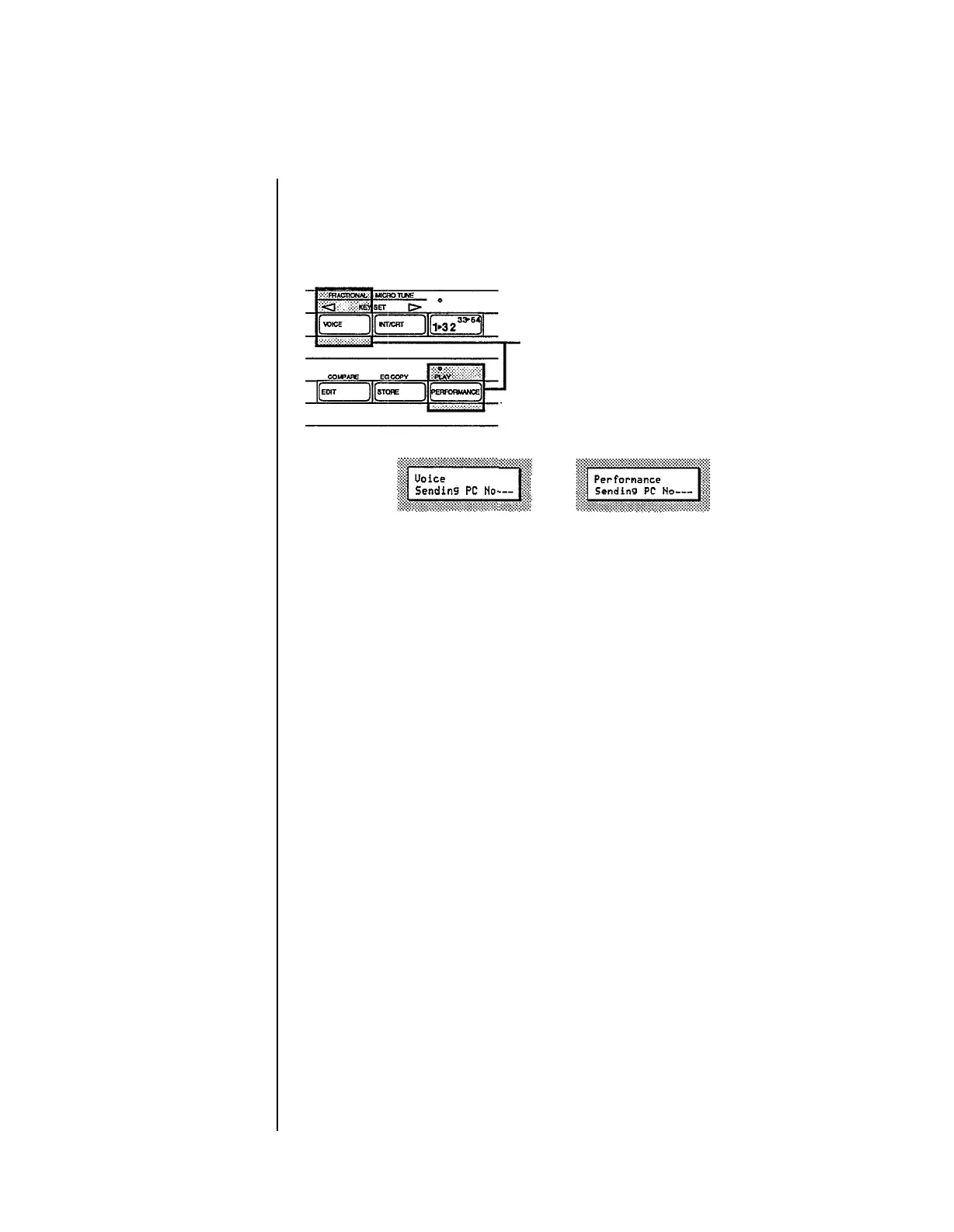
In either of the Play Modes (Voice or
Performance), press and hold the
button of the current Play Mode. You
will see one of the following CD displays:
Now, while still holding the Play
Mode
button, type in the program change
number you desire (1~128) using the 1~10 number buttons (1 through 0
character buttons). All three positions in the LCD must be filled:
for example, to send program #1, type in 001.
Once you have typed in the third number, the program change you have
typed in will be sent over MIDI to the instrument connected to your DX7s.
- 78 -



 To Next Page
 Loading...