Diagnostic Utilities 2-3
Main Menu
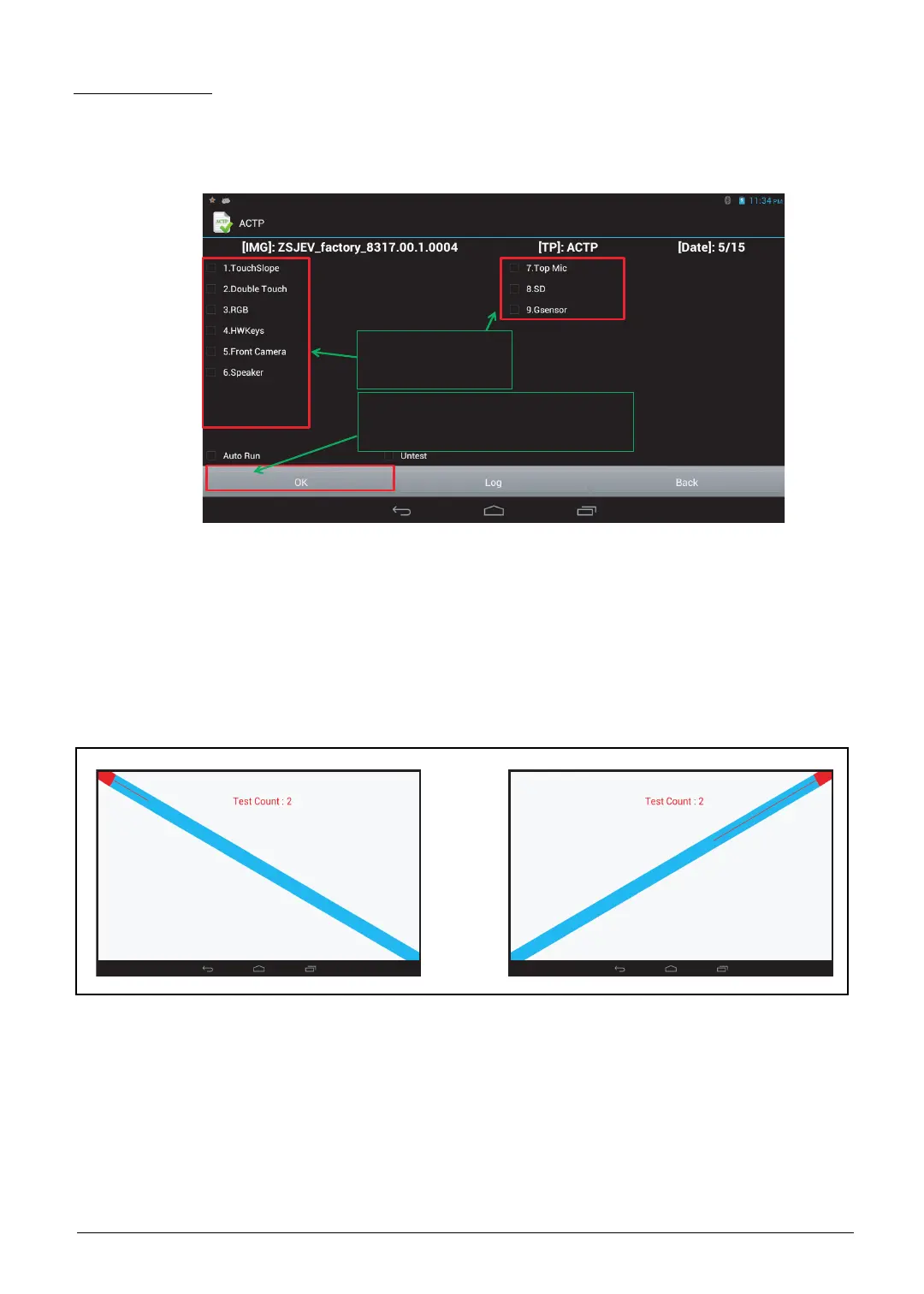
The diagnostic tool tests the functions of TouchSlope, Double Touch, RGB, HW Keys, Front
Camera, Speaker, Top Mic, SD Card and G-sensor.
Select the function(s) you want to test, and then tap OK to start.
Figure 2-2. Diagnostic Tool Main Menu
1. TouchSlope Test
Draw a line from the top left corner to the bottom right corner on the screen.
Draw a line from the top right corner to the bottom left corner on the screen.
Draw each line three (3) times. If drawing fails for more than 3 times, the TouchSlope Test will fail.
Figure 2-3. TouchSlope Test
Step 1 –
Select item(s)
Step 2 –
Click “OK” to start testing


 To Next Page
 Loading...