5-14 Service and Maintenance
Lower Case Installation
1. Before installing the lower case, make sure the following are installed:
• Speaker (if not, perform Speaker Installation on page 5-20).
• Microphone (if not, perform Microphone Installation on page 5-23).
• Mainboard (if not, perform Mainboard Installation on page 5-29).
• WLAN Antenna (if not, perform WLAN Antenna Installation on page 5-35).
• GPS Antenna (if not, perform GPS Antenna Installation on page 5-39).
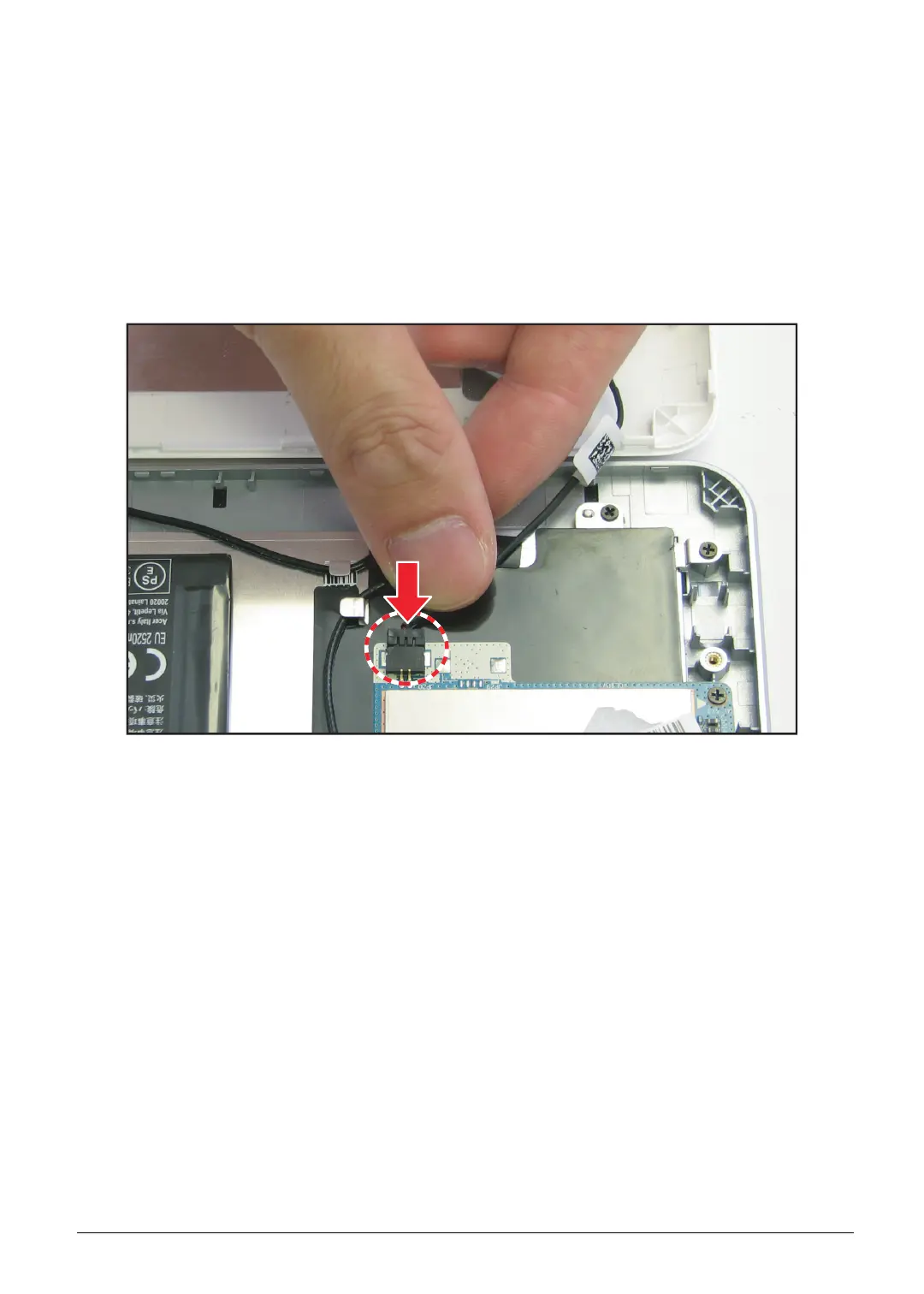
2. Connect the speaker cable connector to the mainboard connector.
Figure 5-18. Connecting the Speaker Cable


 To Next Page
 Loading...