Service and Maintenance 5-33
WLAN Antenna Removal
Prerequisite:
Lower Case Removal on page 5-8
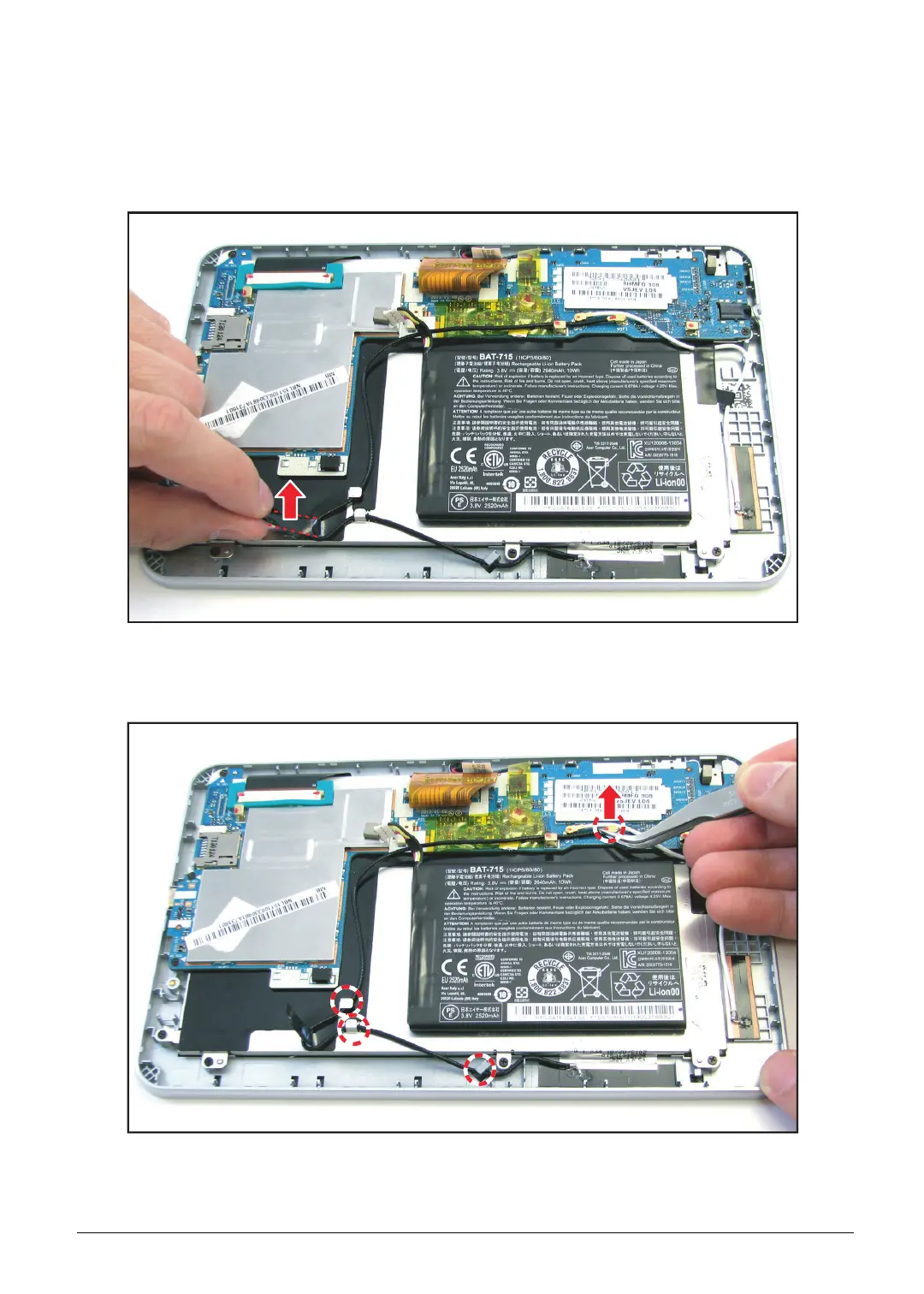
1. Remove the protective tape securing the WLAN antenna cable in place.
Figure 5-48. Removing the Protective Tape
2. Disconnect the WLAN antenna connector from the mainboard connector and remove the cable
from the guides on the bezel.
Figure 5-49. Disconnecting the WLAN Antenna Cable


 To Next Page
 Loading...