5-8 Service and Maintenance
Lower Case Removal
Prerequisite:
Micro SD Card Removal on page 5-5
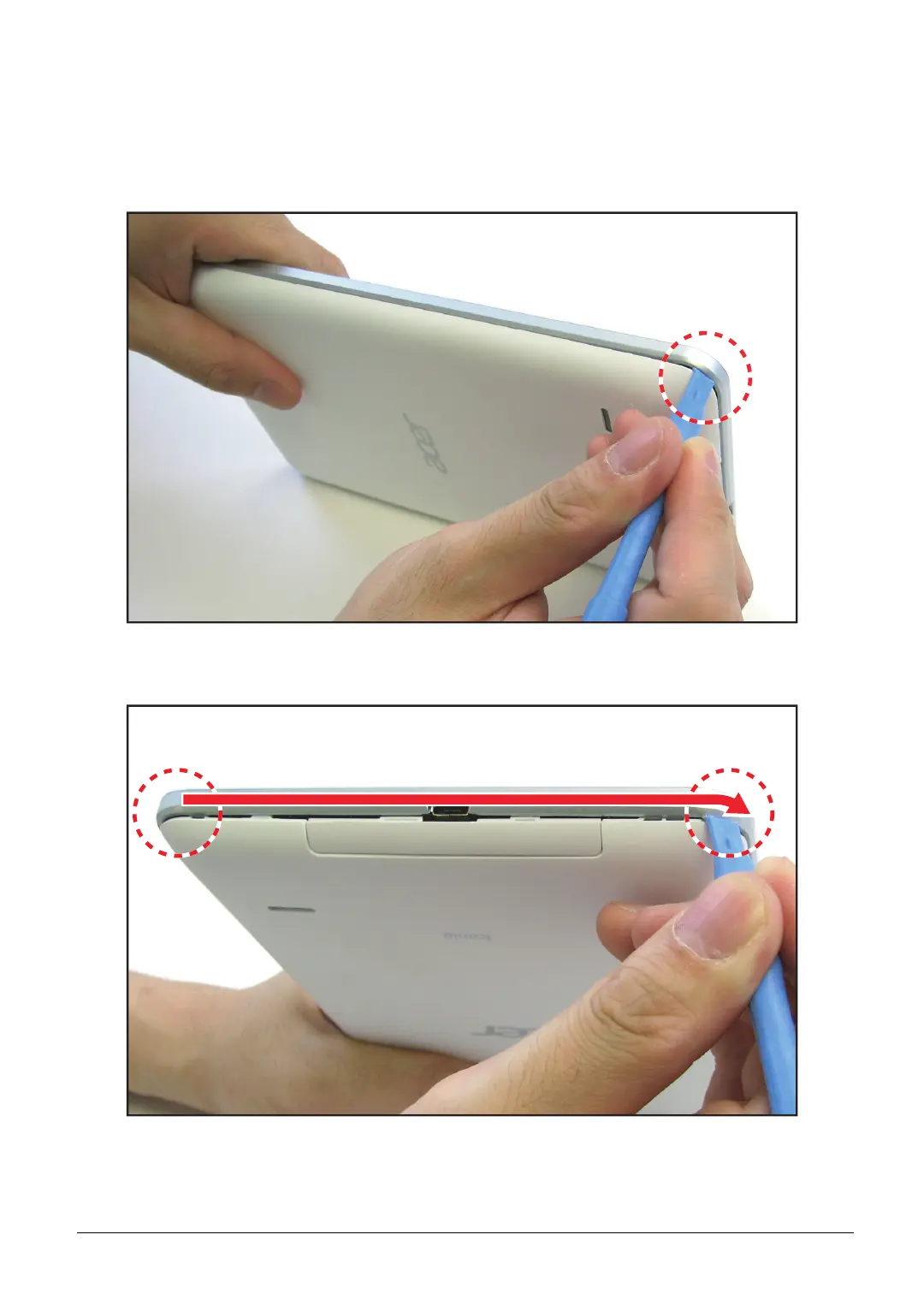
1. Using a plastic pry, pry into the lower-left corner of the tablet to slightly create an opening.
Figure 5-7. Prying for an Opening
2. Pry to release the bottom side latches, following the direction of the arrow.
Figure 5-8. Unlocking the Bottom Side Latches


 To Next Page
 Loading...