50
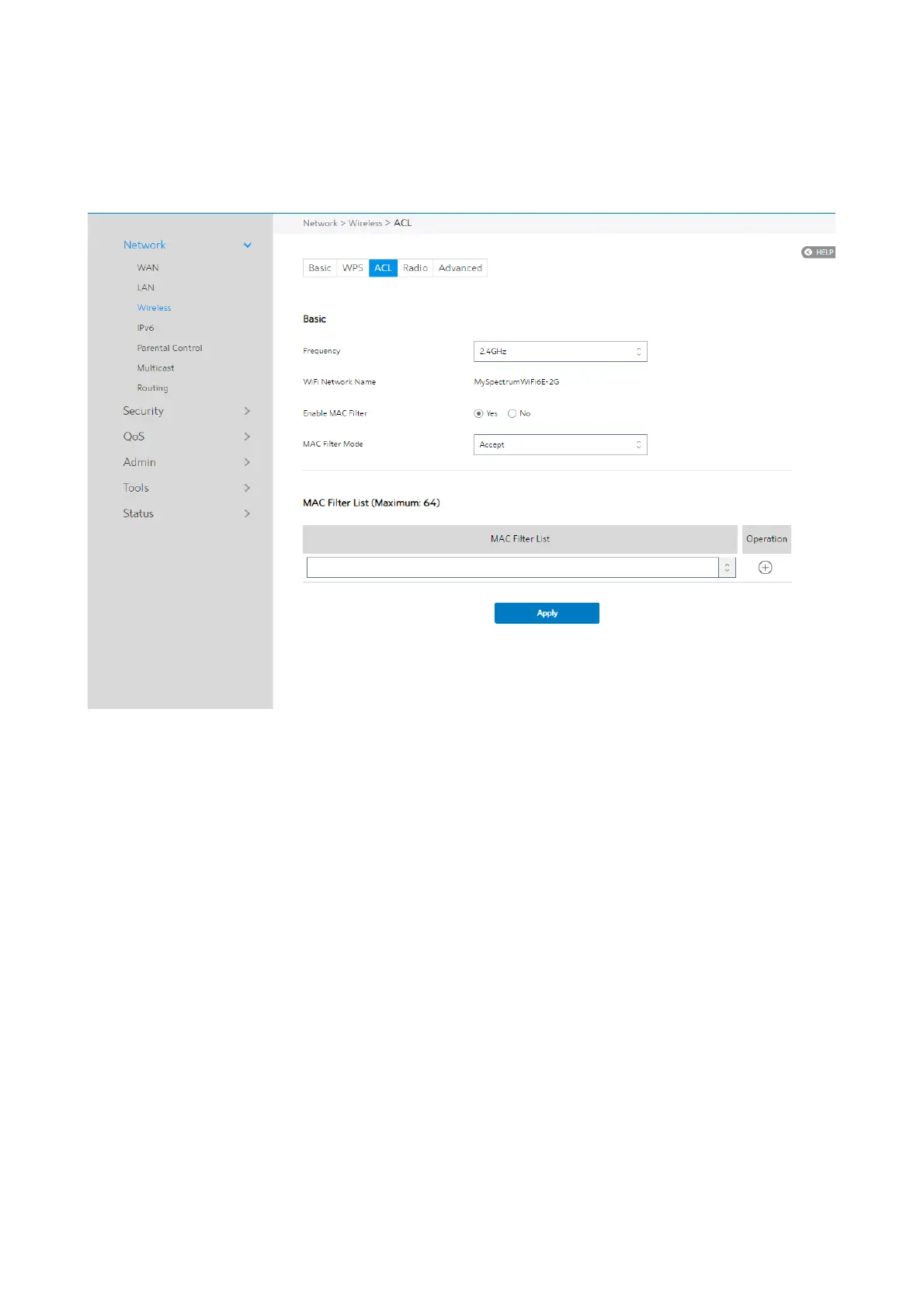
2.4.1.3.3 ACL
ACL can be used to allow or disallow one device to associate to the AP/ Router.
Steps to set up the ACL:
1. From the navigation panel, go to Advanced > Network > Wireless > ACL.
2. Frequency: In the frequency field, select the frequency band that you want to use
for the ACL settings.
3. WiFi Network Name: A name whose length is less than 32 characters is used to
identify a wireless network.
4. Enable MAC Filter: Enable MAC filter or disable.
5. MAC Filter Mode: Select Accept to allow devices in the MAC filter list to associate
to the AP/ Router, select Reject to prevent devices in the MAC filter list from



 To Next Page
 Loading...

