Chapter 2: Hardware setup
2-4
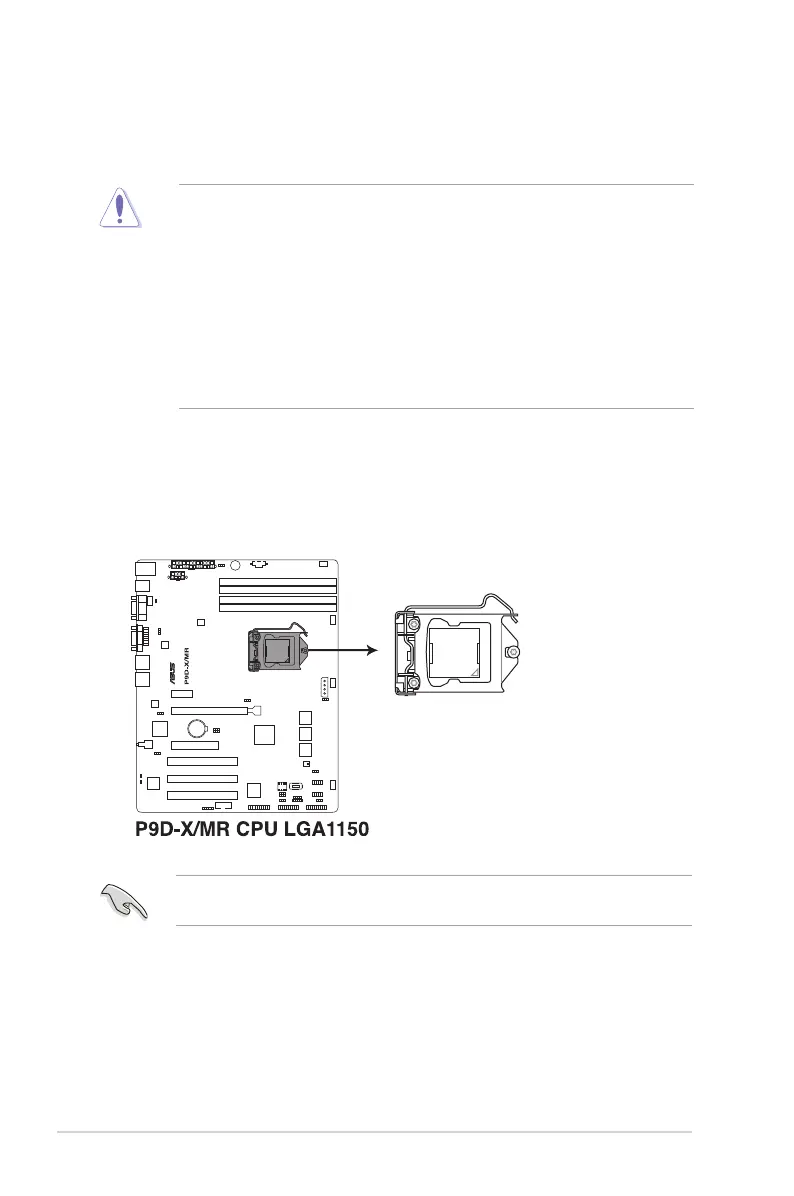
2.2.1 Installing the CPU
To install the CPU:
1. LocatetheCPUsocketonthemotherboard.
BeforeinstallingtheCPU,ensurethatthesocketboxisfacingtowardyouandtheload
lever is on your right.
2.2 Central Processing Unit (CPU)
ThemotherboardcomeswithasurfacemountLGA1150socketdesignedforthe
Intel
®
Xeon
®
E3-1200v3processor.
• Uponpurchaseofthemotherboard,ensurethatthePnPcapisonthesocketand
thesocketcontactsarenotbent.ContactyourretailerimmediatelyifthePnPcap
ismissing,orifyouseeanydamagetothePnPcap/socketcontacts/motherboard
components. ASUS will shoulder the cost of repair only if the damage is shipment/
transit-related.
• Keepthecapafterinstallingthemotherboard.ASUSwillprocessReturnMerchandise
Authorization(RMA)requestsonlyifthemotherboardcomeswiththecaponthe
LGA1150socket.
• Theproductwarrantydoesnotcoverdamagetothesocketcontactsresultingfrom
incorrect CPU installation/removal, or misplacement/loss/incorrect removal of the PnP
cap.


 To Next Page
 Loading...









