EN
23
COMMISSIONING & SAFETY TESTS
General commissioning procedure
Switch on the supply voltage. After the self-test, which is conducted automatically at the start, the
blue status LED (LED bar) must be lit after 15-20 seconds.
Conduct the specified initial tests to comply with local regulations and laws.
Commissioning mode/Self-test
The Wallbox can be set to a commissioning mode to help with the initial system tests. This conducts
a extended self-test on the device (contactor actuation, current measurement, etc.) and then displays
possible problems.
After the test has been successfully completed without a vehicle connected, the contactor will be
actuated for a limited period of time (around 10 minutes) to allow the initial tests to be completed. A
normal charging cycle is not possible in commissioning mode.
If the Wallbox is switched on in commissioning mode using the supply voltage, an error
(white-red-red-red) will be displayed for safety reasons to prevent accidental activation.
Enable commissioning mode
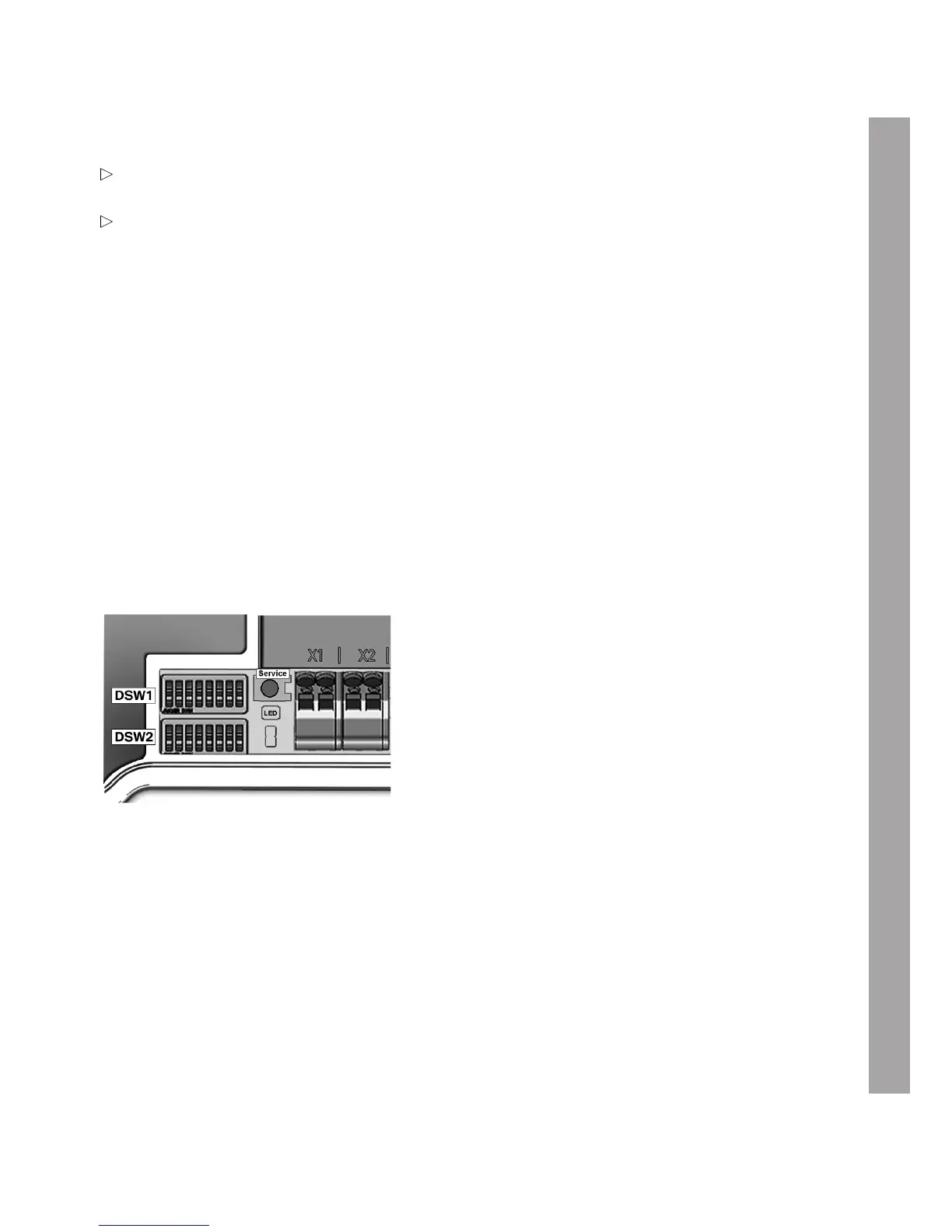
1. Set DIP switch DSW2.8 to ON.
1. Conduct a reset of the Wallbox. Press the Service button for 1second (signal tone) for this
purpose. Commissioning mode is now enabled and is indicated by the orange status LED being lit.
2. It is now possible for approximately 10 minutes to contact with the measuring instrument using
standard test clips (for example Astaco® test clips from BEHA) and conduct the required safety
tests. After this time the contactor is disabled and the Wallbox switched off.
Disable commissioning mode
1. Set DIP switch DSW2.8 to OFF again.
2. Conduct a reset of the Wallbox. Press the den Service button for 1second (signal tone) for
this purpose or switch the supply voltage off and on again. The Wallbox will power up in operating
mode and is then ready for use.


 To Next Page
 Loading...