Preparing for Live View Shooting*
Set the camera for Live View shooting.
1
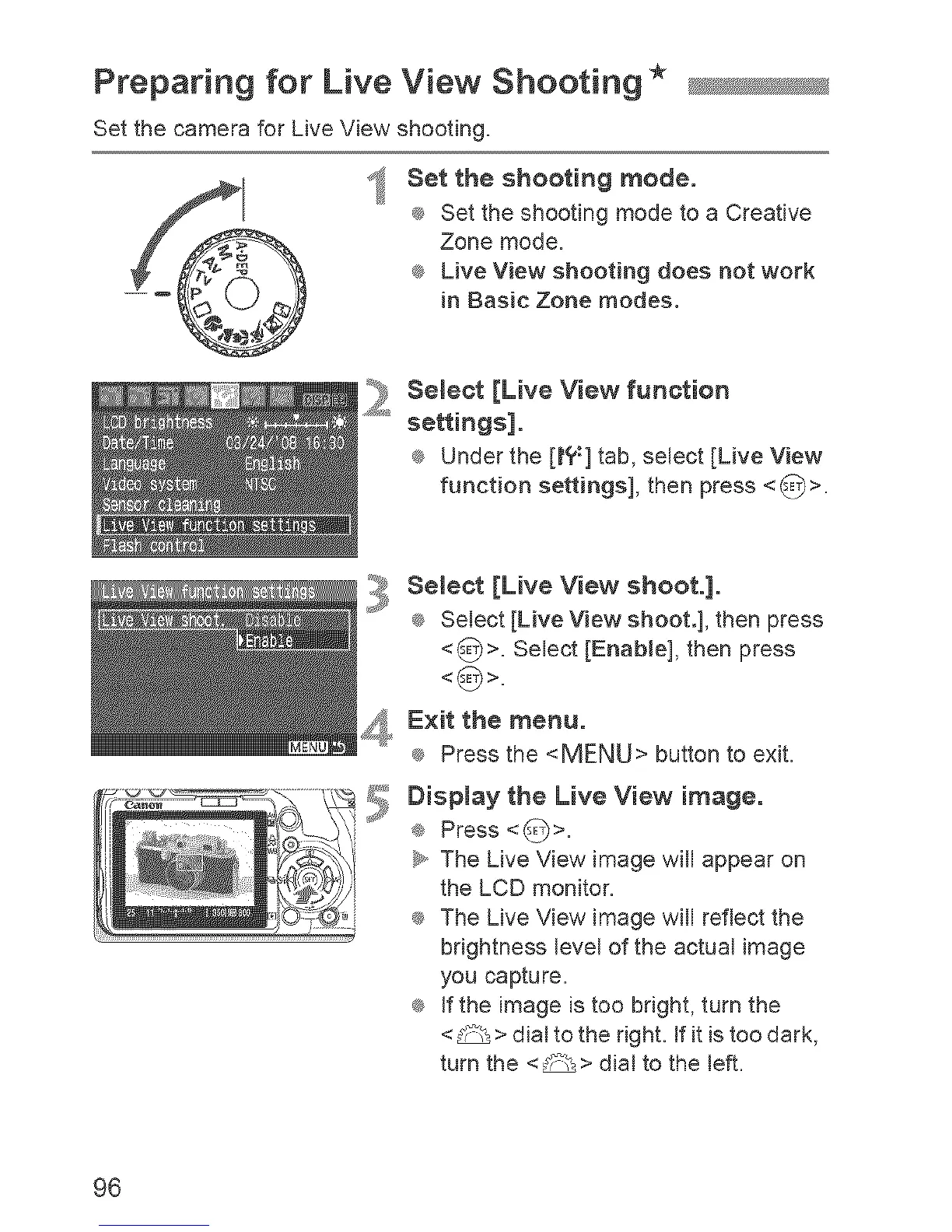
Set the shooting mode.
®_ Set the shooting mode to a Creative
Zone mode.
_ Live View shooting does not work
in Basic Zone modes.
":_ Select [Live View function
"_'_ settings].
_ Under the [t?:] tab, select [Live View
function settings], then press <_>.
:_.y Semeet [Live View shoot.].
_ Select [Live View shoot.], then press
<_>. Select [EnabJe], then press
_ Exit the menu.
_ Press the <MENU> button to exit.
Disptay the Live View image.
e Press <_>.
_y,,The Lave View image will appear on
the LCD monitor.
_ The Live View image will reflect the
brightness level of the actual image
you capture.
_ If the image is too bdght, turn the
<_ > dial to the dght. If it is too dark,
turn the <_> dial to the left.
96


 To Next Page
 Loading...











