Removing Jammed Paper inside Printer
1. Press printer's Stop button.1.
2.
Turn off printer and unplug it.
2.
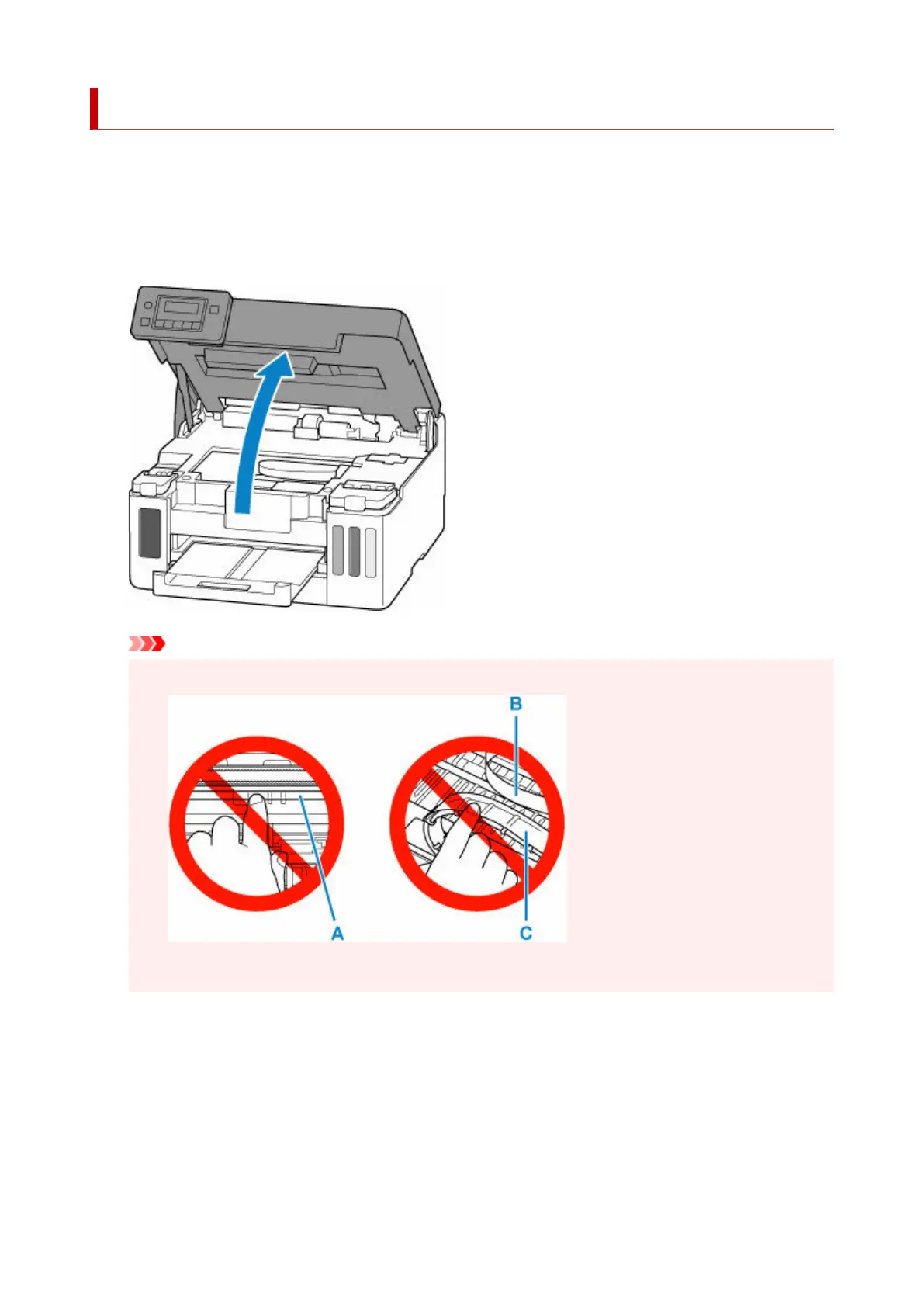
3. Open top cover.3.
Important
• Do not touch the clear film (A), white belt (B), or tubes (C).•
If you soil or scratch this part by touching it with paper or your hand, it could damage the printer.
4.
Check if jammed paper is under print head holder.
4.
If the jammed paper is under the print head holder, move the print head holder to the far right or left,
whichever makes it easier to remove the paper.
When moving the print head holder, hold the top of the print head holder and slide it slowly to the far
right or left.
358


 To Next Page
 Loading...