32
Playing Back on a TV Screen
The AV terminal also serves as headphones terminal. When “H” is displayed on the
screen, change the setting following the procedure below.
Open the menu and select [VCR SETUP]. Select [AV/PHONES H], set it to
[AV] and close the menu.
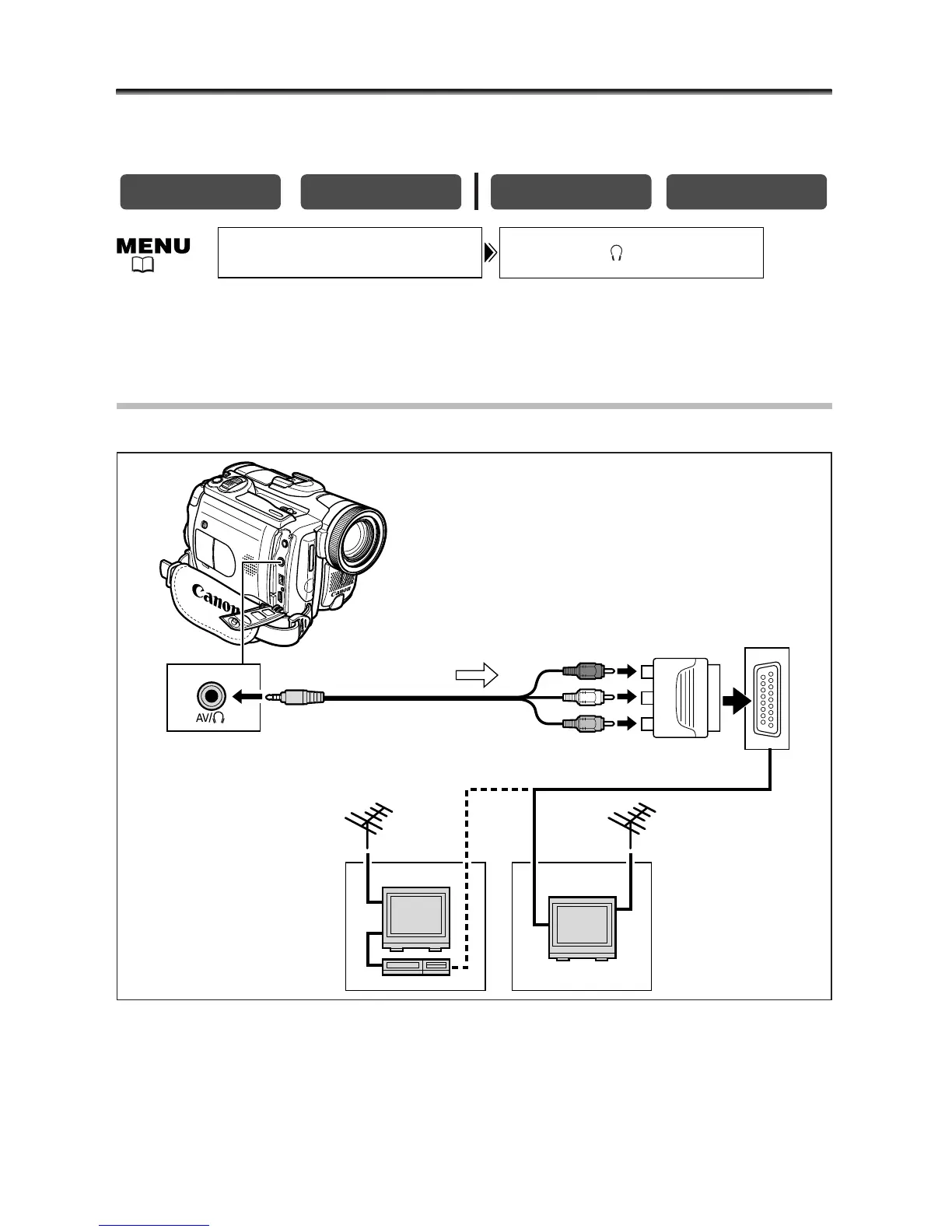
TVs with SCART Terminal
Refer also to the TV or VCR instruction manual.
1. Turn off all devices before starting the connections.
2. Connect the PC-A10 SCART Adapter to the TV or VCR’s SCART terminal.
3. Connect the STV-250N Stereo Video Cable to the camcorder’s AV
terminal and the audio/video terminals on the SCART Adapter.
Connect the white plug to the white AUDIO terminal L (left), and the red plug to the
red AUDIO terminal R (right) and the yellow plug to the yellow VIDEO terminal.


 To Next Page
 Loading...





