30
Downloading Still Images (ZoomBrowser EX)
Auto-Downloading Settings
Select the setting for downloading images by operating your computer. You can
change the image type and the destination folder.
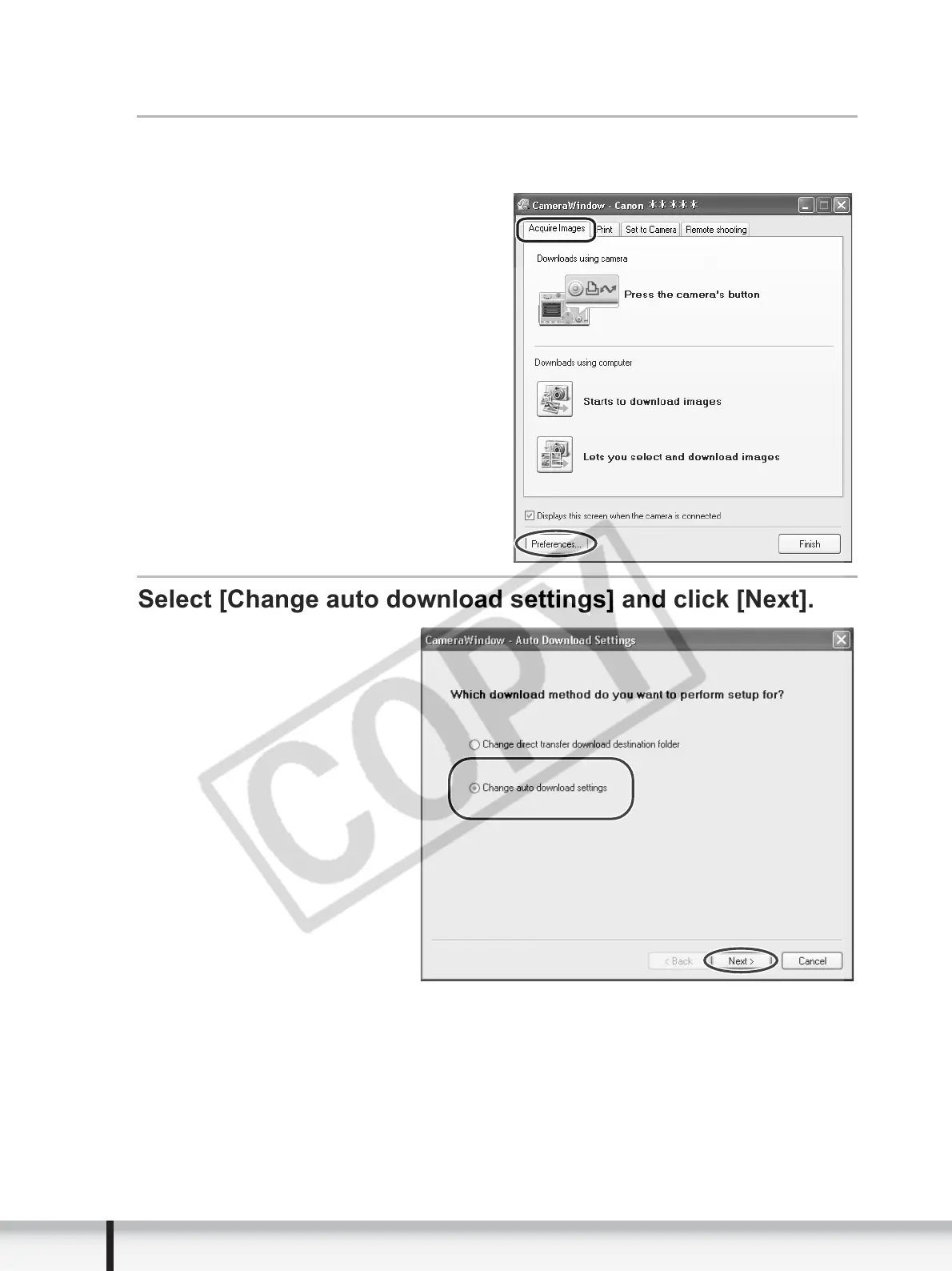
In the Camera Control window, click the [Acquire Images]
tab and click [Preferences].
Select [Change auto download settings] and click [Next].


 To Next Page
 Loading...








