E
9
Windows
Windows
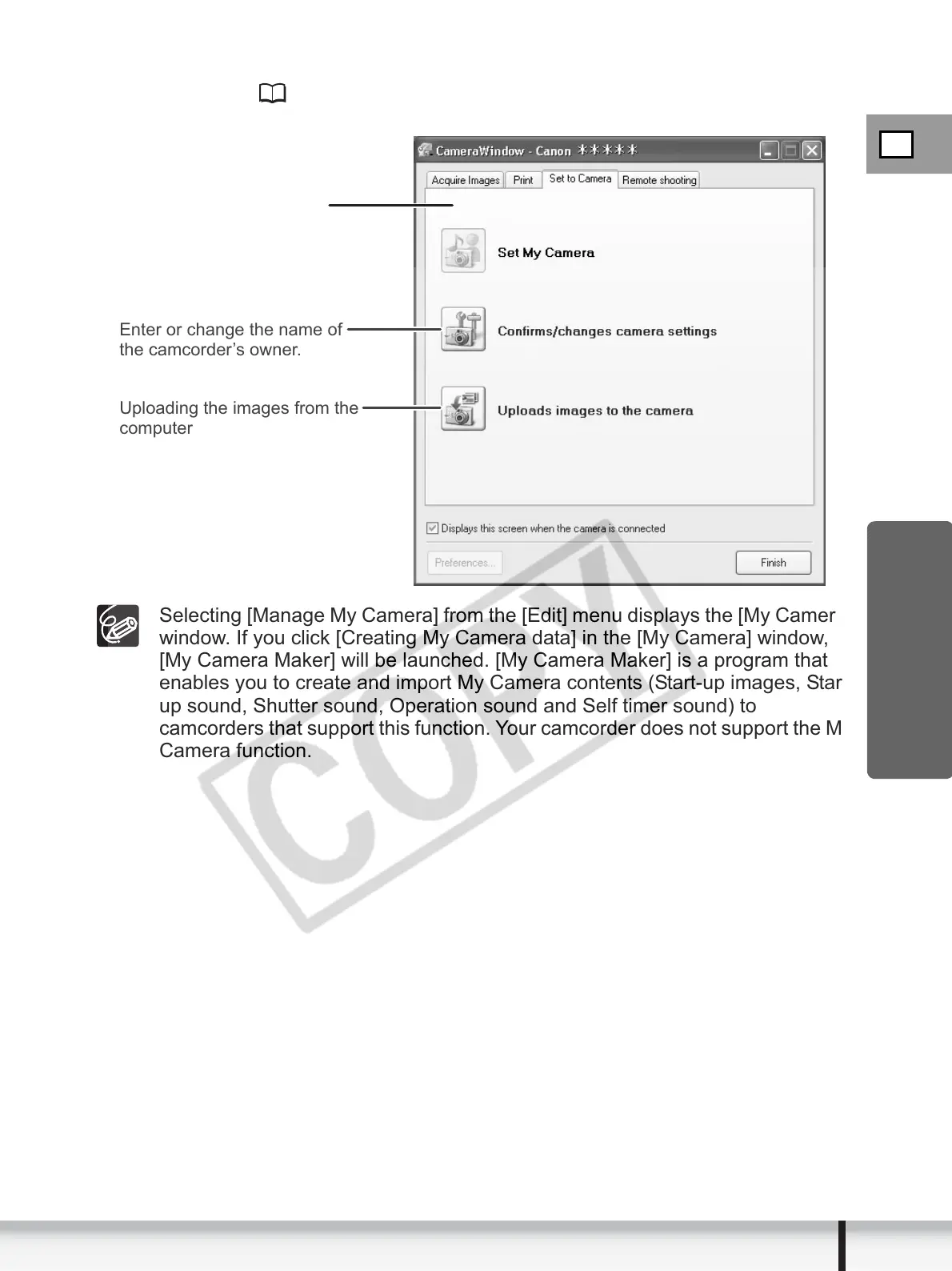
[Set to Camera] Tab
This tab is used for confirming and changing the owner name of the camcorder
you can specify ( 93) and uploading the still images to the card. My Camera
function is not supported by the camcorder.
Selecting [Manage My Camera] from the [Edit] menu displays the [My Camera]
window. If you click [Creating My Camera data] in the [My Camera] window,
[My Camera Maker] will be launched. [My Camera Maker] is a program that
enables you to create and import My Camera contents (Start-up images, Start-
up sound, Shutter sound, Operation sound and Self timer sound) to
camcorders that support this function. Your camcorder does not support the My
Camera function.
Uploading the images from the
computer
Enter or change the name of
the camcorder’s owner.
Camera Control window


 To Next Page
 Loading...








