98
Handling the Memory Card
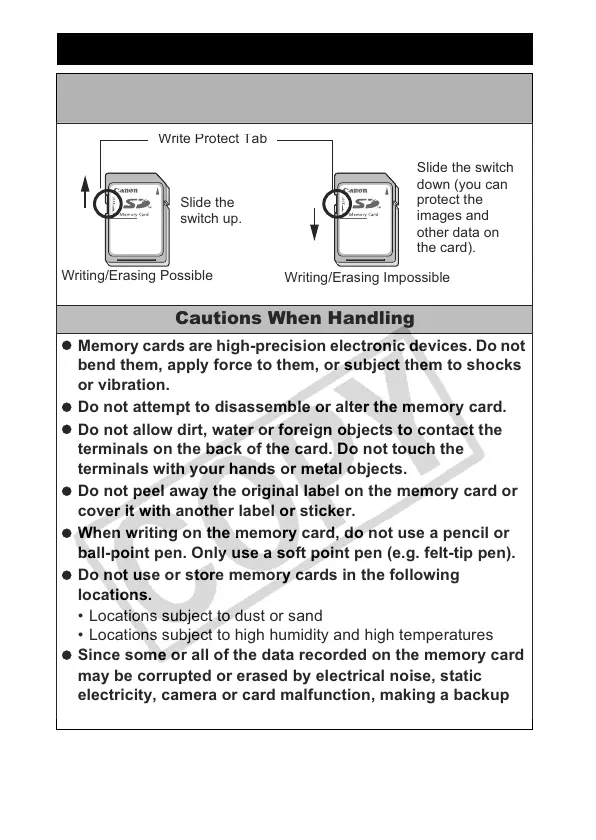
SD Memory Card or SDHC Memory Card Write
Protect Tab
Cautions When Handling
Memory cards are high-precision electronic devices. Do not
bend them, apply force to them, or subject them to shocks
or vibration.
Do not attempt to disassemble or alter the memory card.
Do not allow dirt, water or foreign objects to contact the
terminals on the back of the card. Do not touch the
terminals with your hands or metal objects.
Do not peel away the original label on the memory card or
cover it with another label or sticker.
When writing on the memory card, do not use a pencil or
ball-point pen. Only use a soft point pen (e.g. felt-tip pen).
Do not use or store memory cards in the following
locations.
• Locations subject to dust or sand
• Locations subject to high humidity and high temperatures
Since some or all of the data recorded on the memory card
may be corrupted or erased by electrical noise, static
electricity, camera or card malfunction, making a backup
copy of important data is recommended.
Slide the
switch up.
Slide the switch
down (you can
protect the
images and
other data on
the card).
r
e
ro
ec
a
Writing/Erasing Possible
Writing/Erasing Impossible


 To Next Page
 Loading...