DES-3028 DES-3028P DES-3052 DES-3052P Layer 2 Fast Ethernet Managed Switch
Port Configuration
This section contains information for configuring various attributes and properties for individual physical ports, including port
speed and flow control.
Port Settings
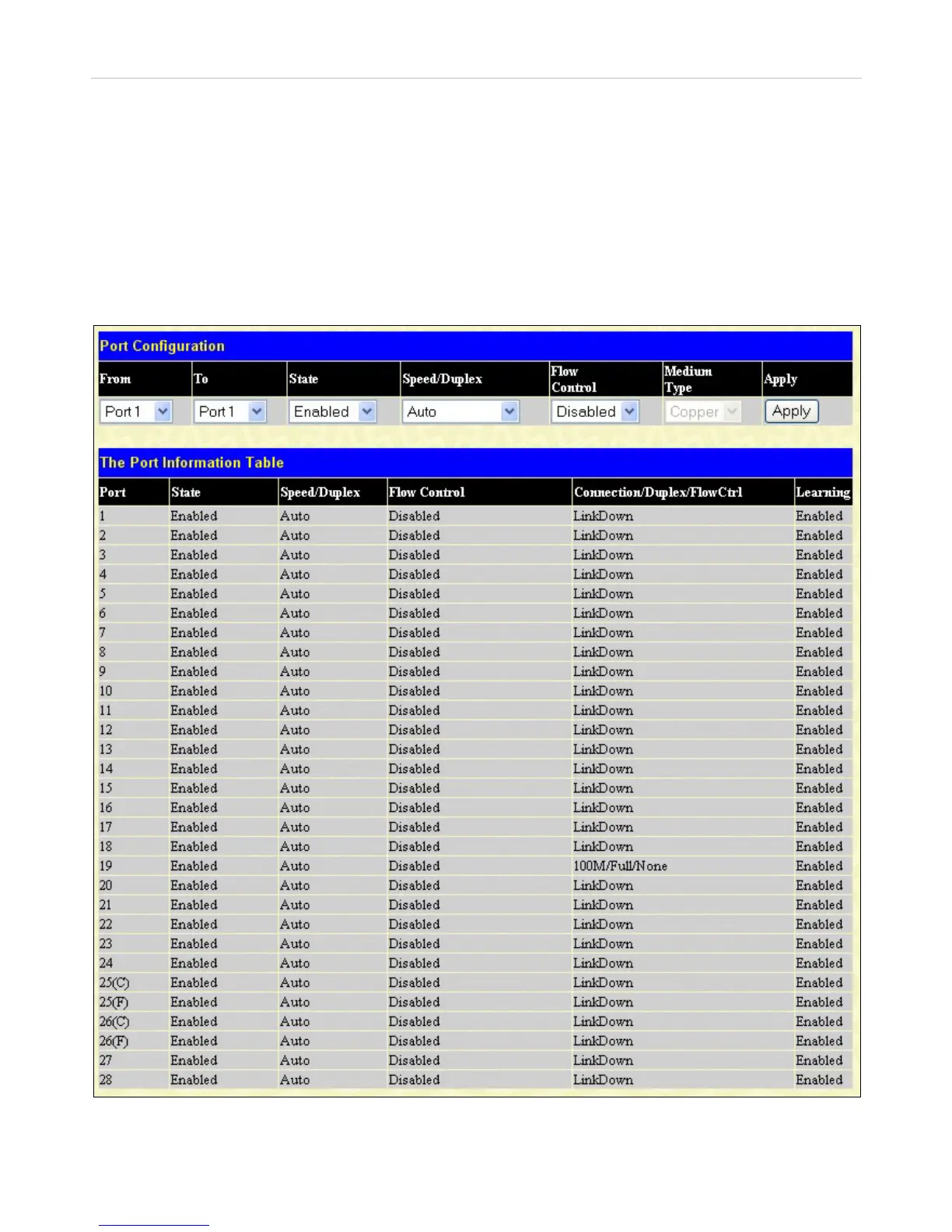
Click Administration > Port Configuration > Port Settings to display the following window:
To configure switch ports:
1. Choose the port or sequential range of ports using the From…To… port pull-down menus.
Use the remaining pull-down menus to configure the parameters described below:
Figure 6- 3. Port Configuration window
27


 To Next Page
 Loading...










