Two-post center-mount installation
NOTE: For more installation instructions, see the installation labels attached to the
rail assembly.
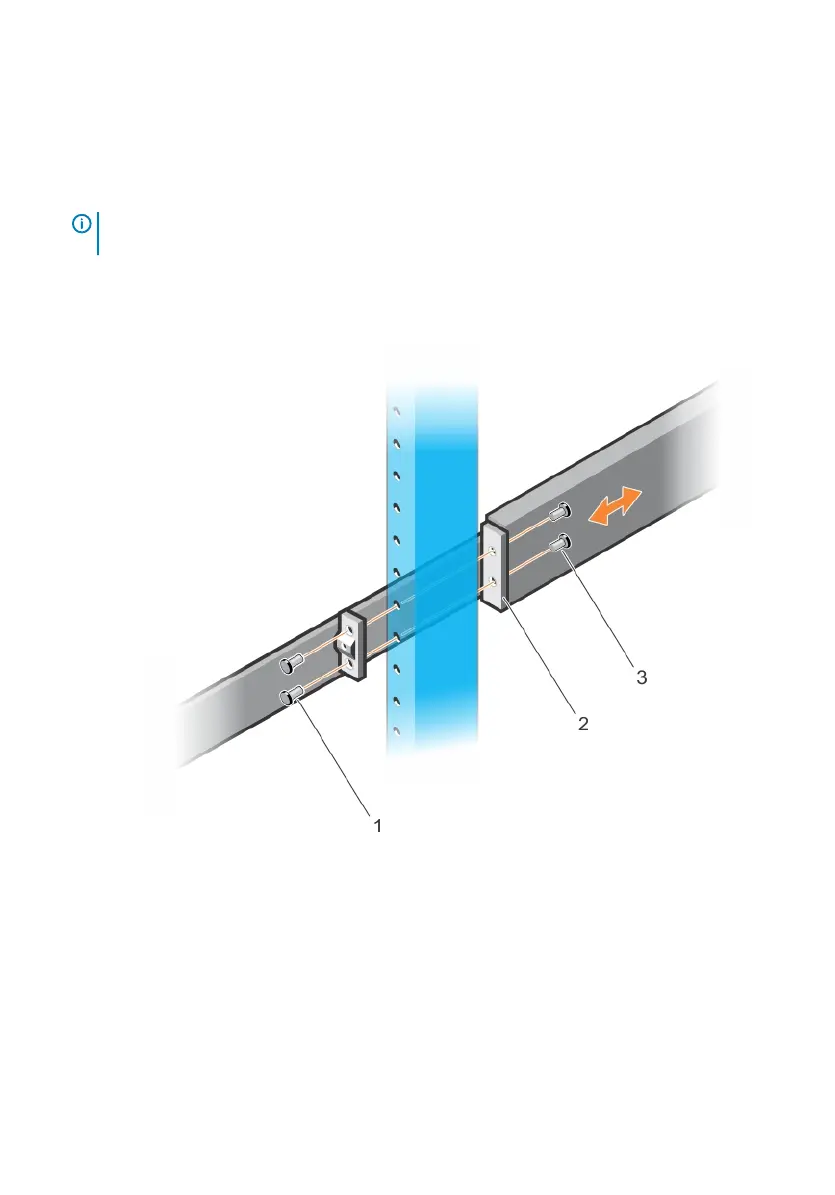
1 Slide the plunger bracket rearward until it clicks into place and secure the bracket to
the front post ange with two user-supplied screws, item 1.
Figure 14. Two-post center-mount installation
2 Slide the back bracket towards the post. Secure it to the post ange with two user-
supplied screws, items 2 and 3.
3 Repeat this procedure for the second rail.
24
S5200F-ON Series switch Installation


 To Next Page
 Loading...