Dell
™
Latitude™ E6420 XFR Service Manual
Page 29
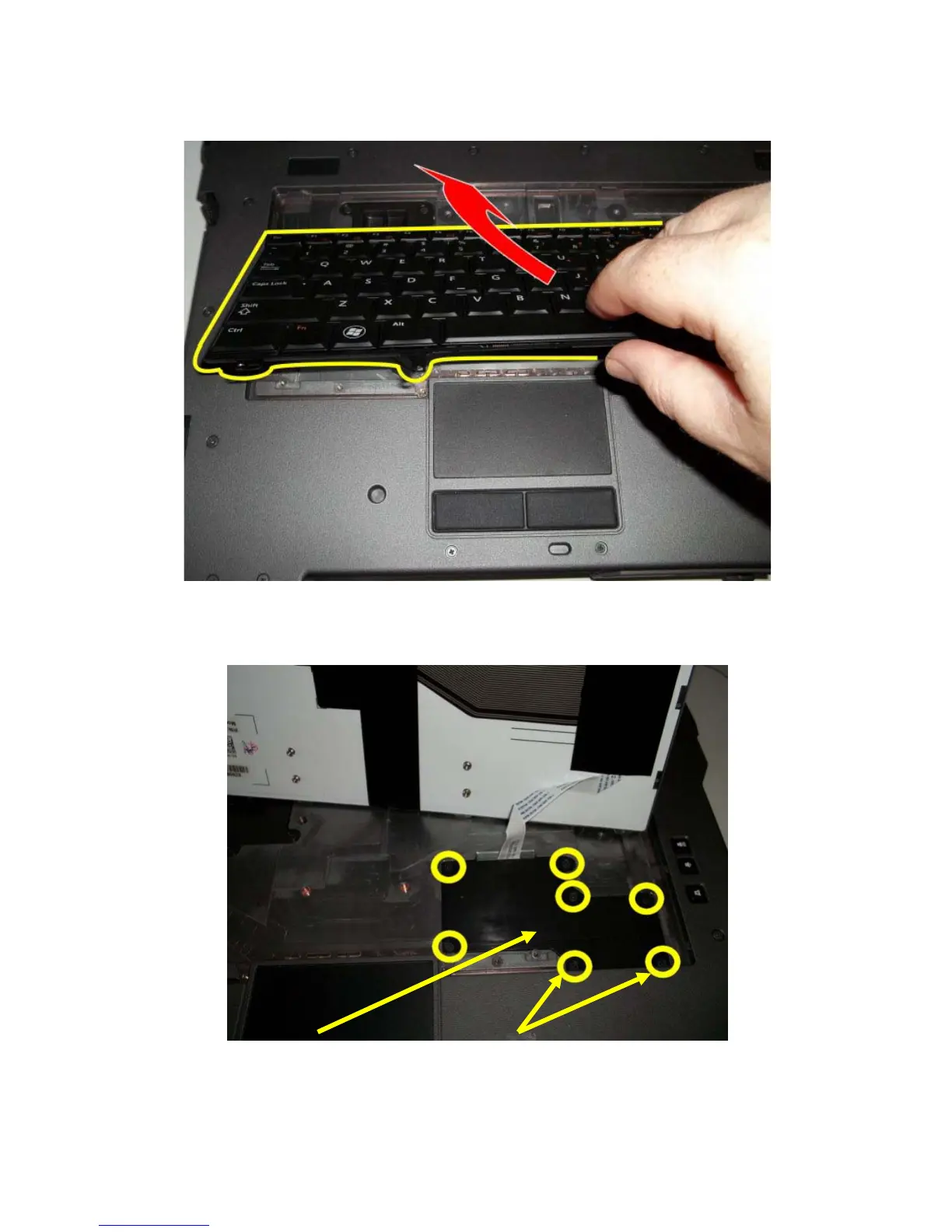
6. Lift up on keyboard from the bottom edge. Keyboard is lightly retained on sides by snap features.
7. Flip keyboard over toward display exposing the flex cable attaching the keyboard to the system through the
keyboard access door.
8. Remove the seven M2.5x5mm screws retaining the access door.
9. Disconnect the keyboard flex cable to remove the keyboard. (ADD PICTURE SHOWING KEYBOARD FLEX
CABLE)


 To Next Page
 Loading...














