[] External Device Connection
]Component Video Connection]
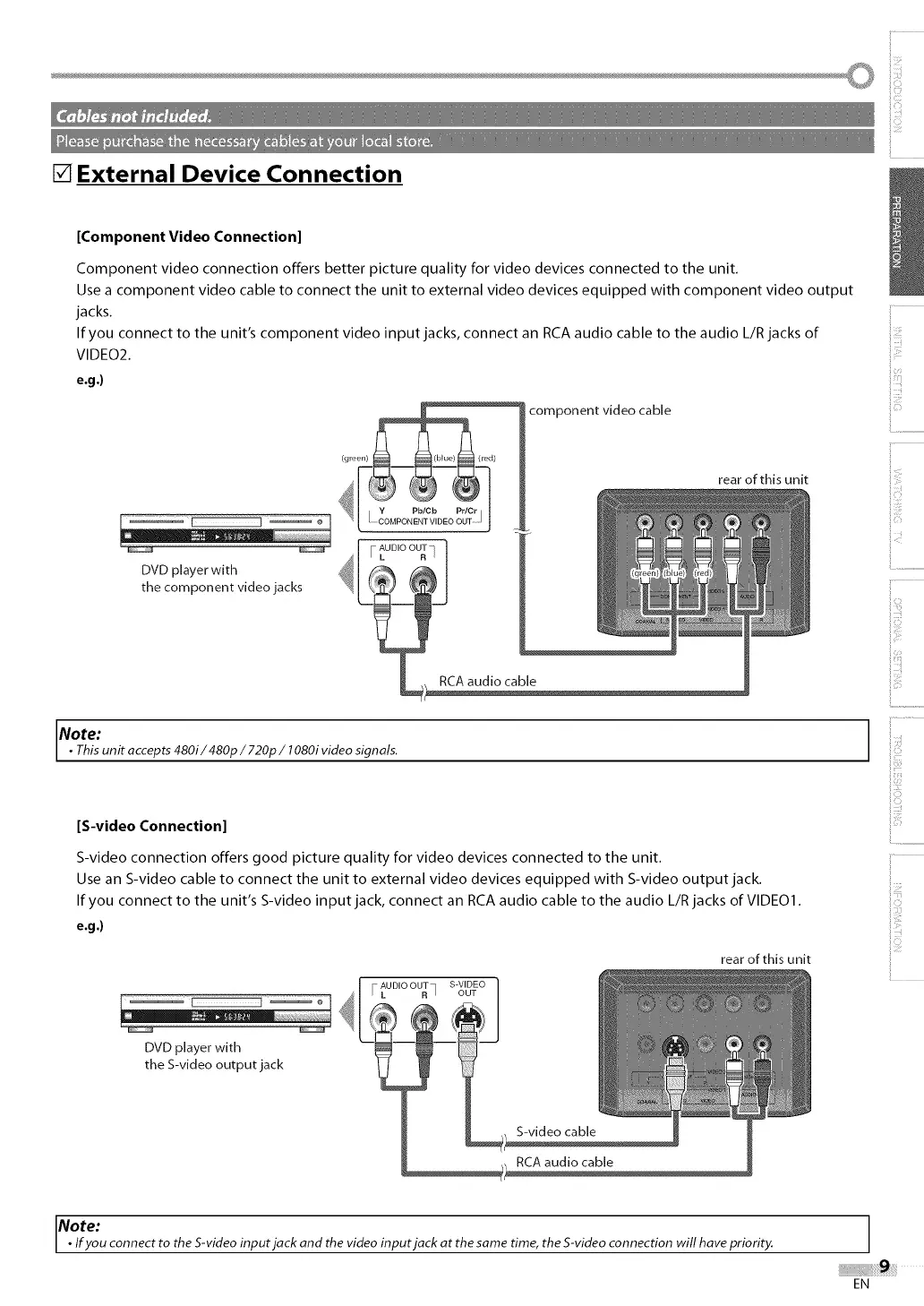
Component video connection offers better picture quality for video devices connected to the unit.
Use a component video cable to connect the unit to external video devices equipped with component video output
jacks.
If you connect to the unit's component video input jacks, connect an RCA audio cable to the audio L/R jacks of
VIDEO2.
e.g .)
(green)
®®-I
................... _ N _ Y Pb/Cb PriOr I
_ AUDIO OUT
FL R_
DVD player with
the component video jacks
component video cable
rear of this unit
Note:
• This unit accepts480i/480p / 720p / 1080ivideo signals.
i
ii,D_
if"
iii_i'!:i
_i!:!i
............................
[S-video Connection[
S-video connection offers good picture quality for video devices connected to the unit.
Use an S-video cable to connect the unit to external video devices equipped with S-video output jack.
If you connect to the unit's S-video input jack, connect an RCA audio cable to the audio L/R jacks of VIDEO1.
e.g .)
rear of this unit
4
DVD player with
the S-video output jack
AUDIO OUT S-VIDEO
L R ] OUT
iiii!!:i
ii_i::ii
iiI,L
Note:
• Ifyou connect to the S-videoinput jack and the video input jack at the same time, the S-video connection will have priority.
EN


 To Next Page
 Loading...