D
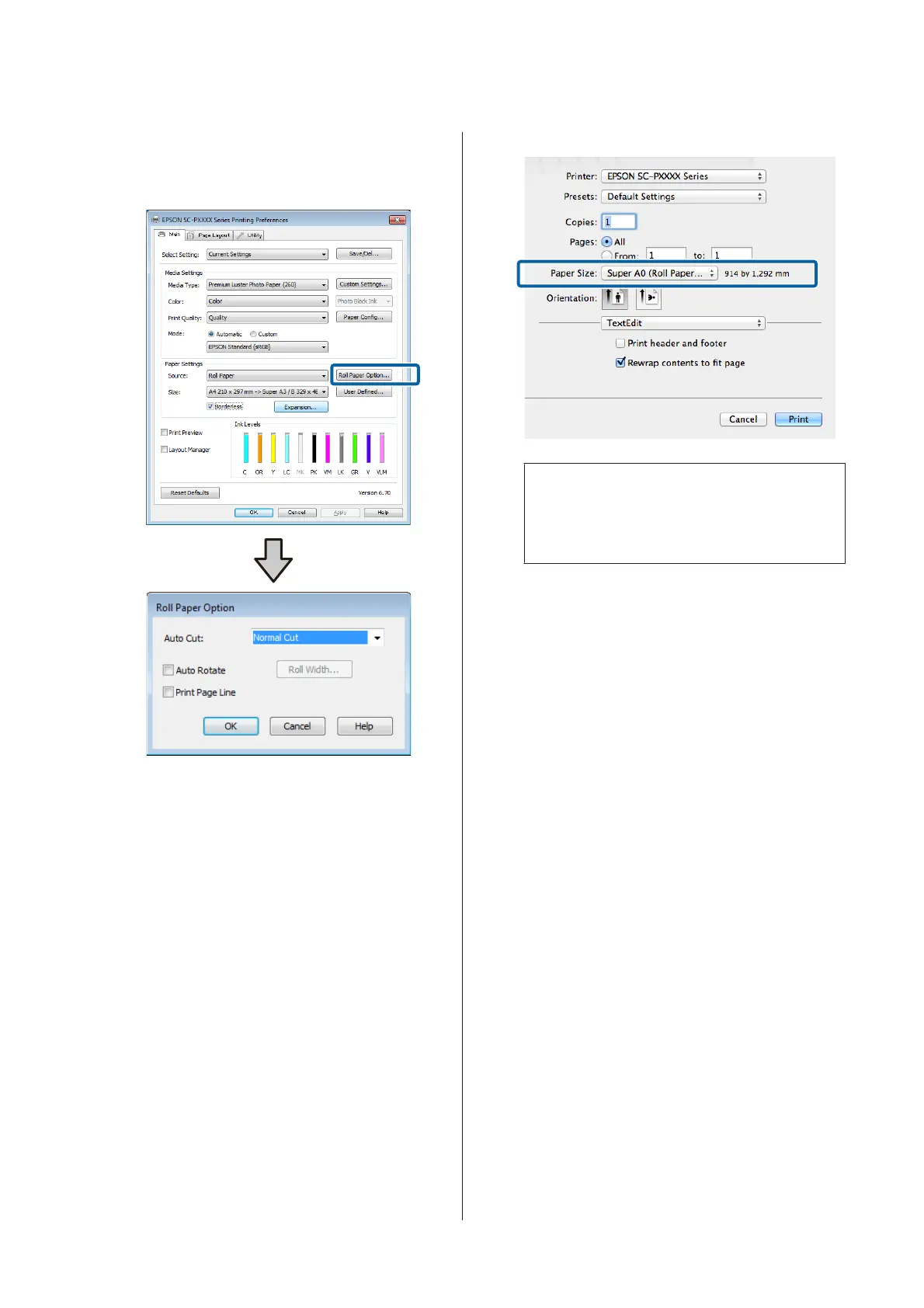
When using roll paper, click Roll Paper Option,
and then set Auto Cut option.
U “About Roll Paper Cutting” on page 72
E
Check other settings, and then start printing.
Settings in Mac
A
Open the Print screen and select the paper size
from the Paper Size option, and then select a
borderless printing method.
U “Performing Printing (Mac)” on page 44
The selections for borderless printing methods
are displayed as shown below.
xxxx (Roll Paper - Borderless, Auto Expand)
xxxx (Roll Paper - Borderless, Retain Size)
xxxx (Sheet - Borderless, Auto Expand)
xxxx (Sheet - Borderless, Retain Size)
Where XXXX is the actual paper size, such as A4.
Note:
If page setting options are not available in the
application's print dialog, display the page settings
dialog.
B
Select Page Layout Settings from the list, and
then set Roll Paper Option or Expansion.
See the following for more details on Auto Cut
from Roll Paper Option.
U “About Roll Paper Cutting” on page 72
Expansion is only available when Auto Expand
is selected from Paper Size. The following shows
the values for each item.
Max : 3 mm for left and 5 mm for right (the
image shifts 1 mm to the right)
Normal : 3 mm for left and right
Mid : 1.5 mm for left and right
SC-P9500 Series/SC-P7500 Series User's Guide
Printing Varieties
74


 To Next Page
 Loading...