FM-4850 Operator’s Manual
Step 1 Press the Menu/DSC control until the "MAIN MENU" screen appears.
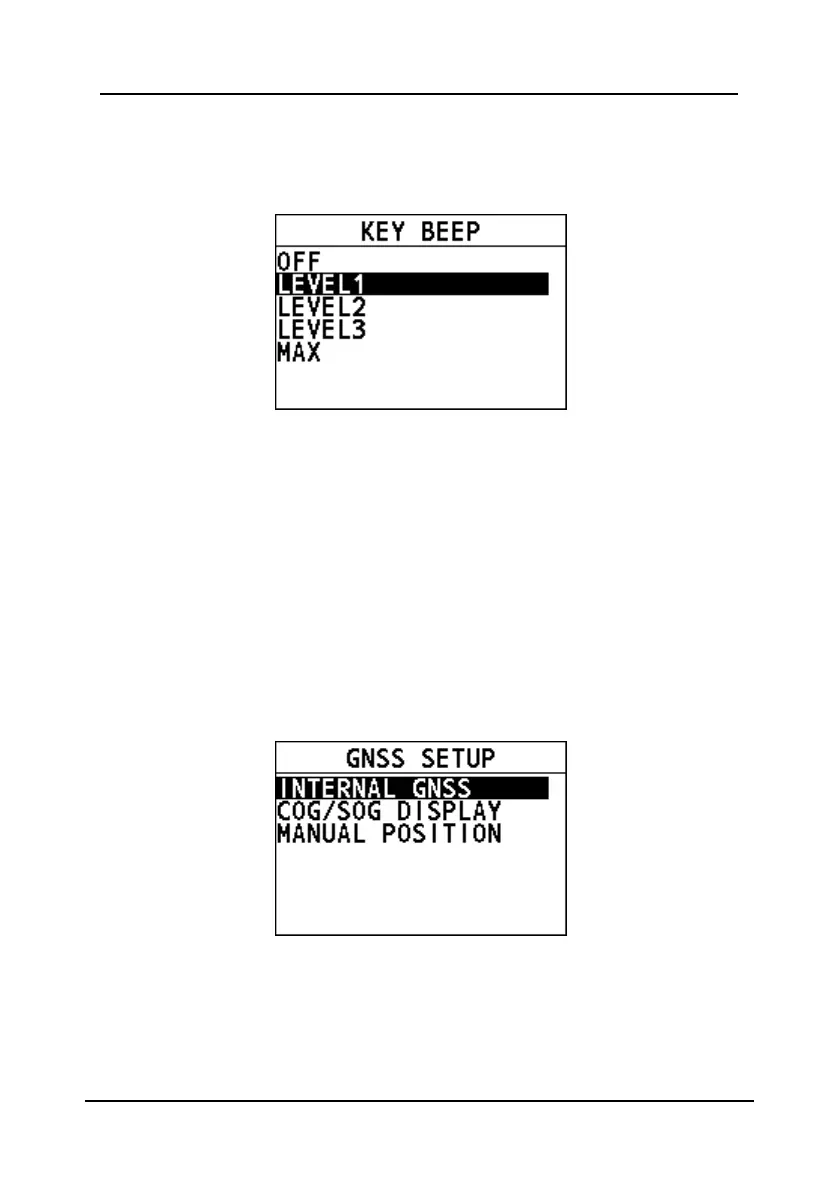
Step 2 Go to "GENERAL SETUP > KEY BEEP".
The following page appears on the screen.
Step 3 Select a level.
Step 4 Press the Menu/DSC control to save the setting and return to the
previous page.
10.4 GNSS Setup
This section allows you to set how to show the time and the position information of
the vessel.
10.4.1 Entering the "GNSS SETUP" Page
Step 1 Press the Menu/DSC control until the "MAIN MENU" screen appears.
Step 2 Go to "GENERAL SETUP > GNSS SETUP".
The following page appears on the screen.
10.4.2 Internal GNSS
This feature allows you to set whether to show the position and time information
obtained through the internal GNSS.
Step 1 In the "GNSS SETUP" page, select "INTERNAL GNSS".


 To Next Page
 Loading...





