DP-5
D1-6
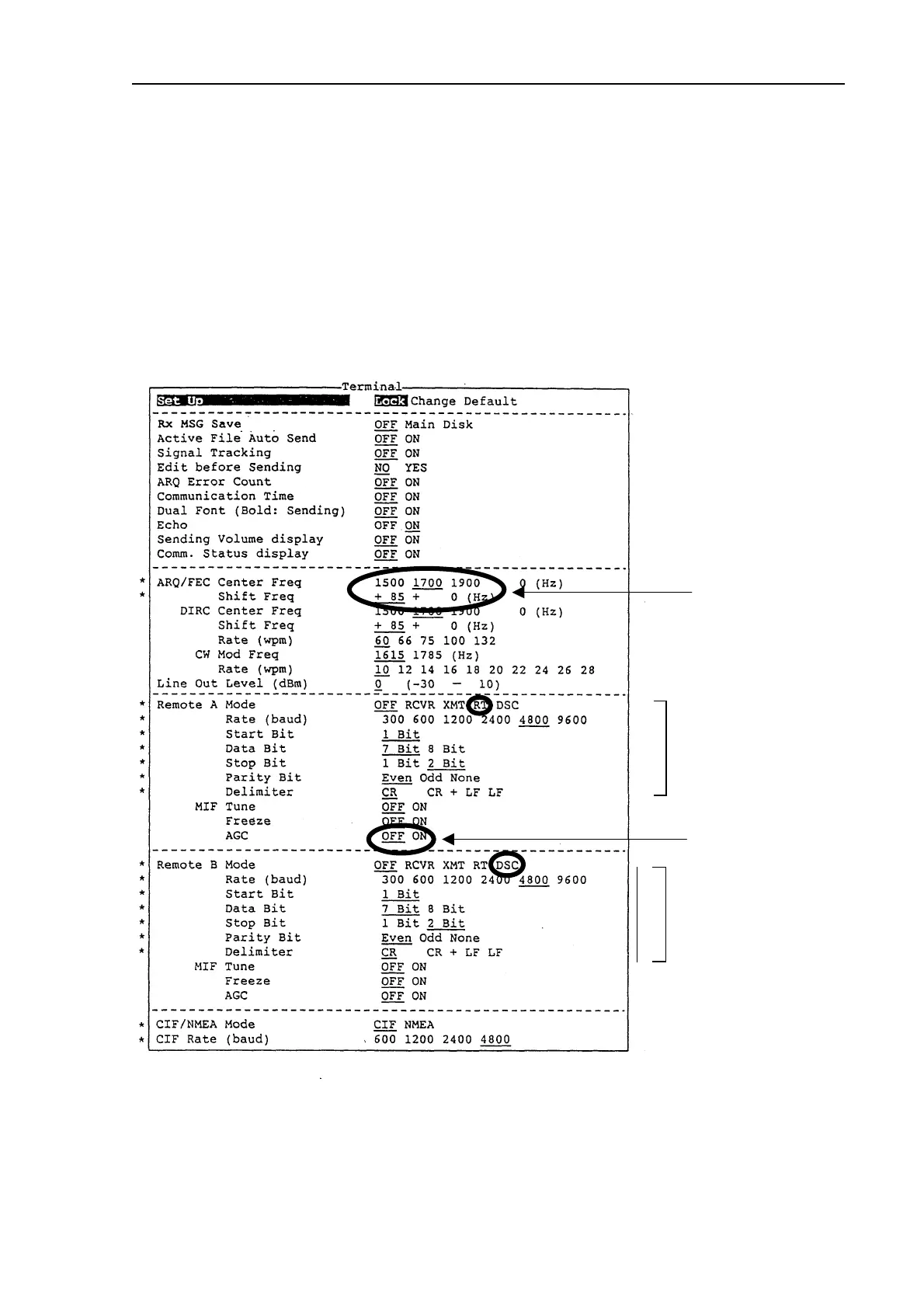
3.2 Terminal settings (F6)
Press function key [F6] to display the Terminal display.
To change settings, first, select “Change” on the top (Set UP) line. Press the [↓] key to
select item, then press the [→] or [←] key to select option.
“Default” on the setup line is for factory use.
“Section 4.2” describes how to change Terminal menu.
*: Password : [DP5] is needed for change of these setting.
Don’t change !!
FS-1562:OFF
Don’t change.
ote) DSC is connecte
to REM-B port.
Don’t change.
ote) RT is connected to
REM-A port.


 To Next Page
 Loading...











