ENGLISH
14
Using the Bluetooth audio player
• Operations and display indications differ depending on their availability on the connected audio player.
1
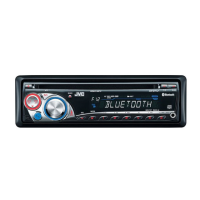
Select “BLUETOOTH.”
• Pressing can enter the Bluetooth menu directly.
2
—
Establish the connection with a Bluetooth audio player.
If playback does not start automatically, operate the Bluetooth audio
player to start playback.
[Press] Reverse skip/forward skip
[Hold] Reverse search/forward
search
Select group/folder
Start/pause playback
• Refer also to pages 10 and 11 for registering/
connecting/disconnecting/deleting a registered
device.
After pressing M MODE, press the following buttons...
Select repeat play
Select random play
Bluetooth Information:
If you wish to receive more information about
Bluetooth, visit the following JVC web site: <http://
www.jvc-victor.co.jp/english/car/>.
To call a preset number
While in Bluetooth source....
• You can also call a preset number using “PRESET” of
the “CALL” items (see page 13).
Switching conversation media (the unit/
cellular phone)
During a phone call conversation....
Then, continue your conversation
using the other media.
Presetting the phone number
You can preset up to six phone numbers.
1 Display the phone number you want to
preset by using one of the “CALL” items.
2 Select a phone number.
3 Select a preset number to store.
EN08-15_KD-BT11[J]f.indd 14EN08-15_KD-BT11[J]f.indd 14 11/30/07 4:52:32 PM11/30/07 4:52:32 PM



 To Next Page
 Loading...