10
INSTALLING THE CAP OVER THE SPEAKER/ MICROPHONE JACKS
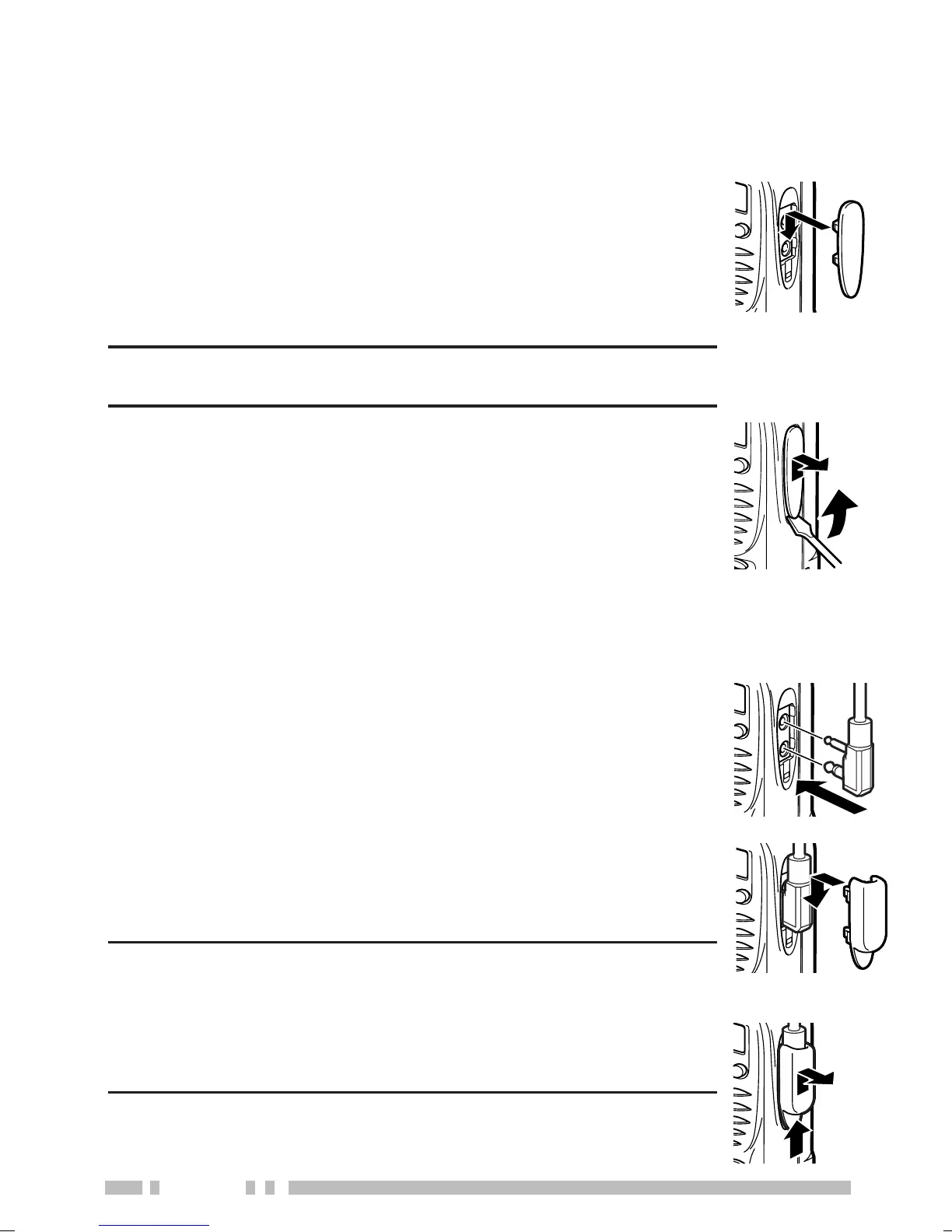
Install the cap over the speaker/ microphone jacks when not
using an optional speaker/ microphone.
1 Insert the speaker/ microphone plugs into the
speaker/ microphone jacks of the transceiver.
2 Place the locking bracket over the speaker/
microphone plugs so that the locking tabs
insert into the transceiver grooves.
3 While holding the locking bracket in place,
push it towards the bottom of the transceiver
until the tabs on the bracket click into place.
Note:
◆ When not using an optional speaker/ microphone,
install the cap over the speaker/ microphone jacks.
◆ The transceiver is not fully water resistant when
using a speaker/ microphone or headset.
•To remove the locking bracket, push the bracket up
from the base.
INSTALLING THE (OPTIONAL) SPEAKER/ MICROPHONE
1 Place the cap over the jacks so that the locking
tabs insert into the transceiver grooves.
2 While holding the cap in place, push it towards
the bottom of the transceiver until the tabs on
the cap click into place.
Note: To keep the transceiver water resistant, you must
cover the speaker/ microphone jacks with the supplied cap.
•To remove the cap, hold the top of the cap in place
with your finger while inserting a 3 mm or smaller flat
blade screwdriver under the bottom of the cap.
Slowly slide the screwdriver in until its tip touches the
tab inside the cap, then gently pry the cap up (handle
of screwdriver moving away from the transceiver) to
remove the cap.


 To Next Page
 Loading...