26
Your Home screen
%
NOTE
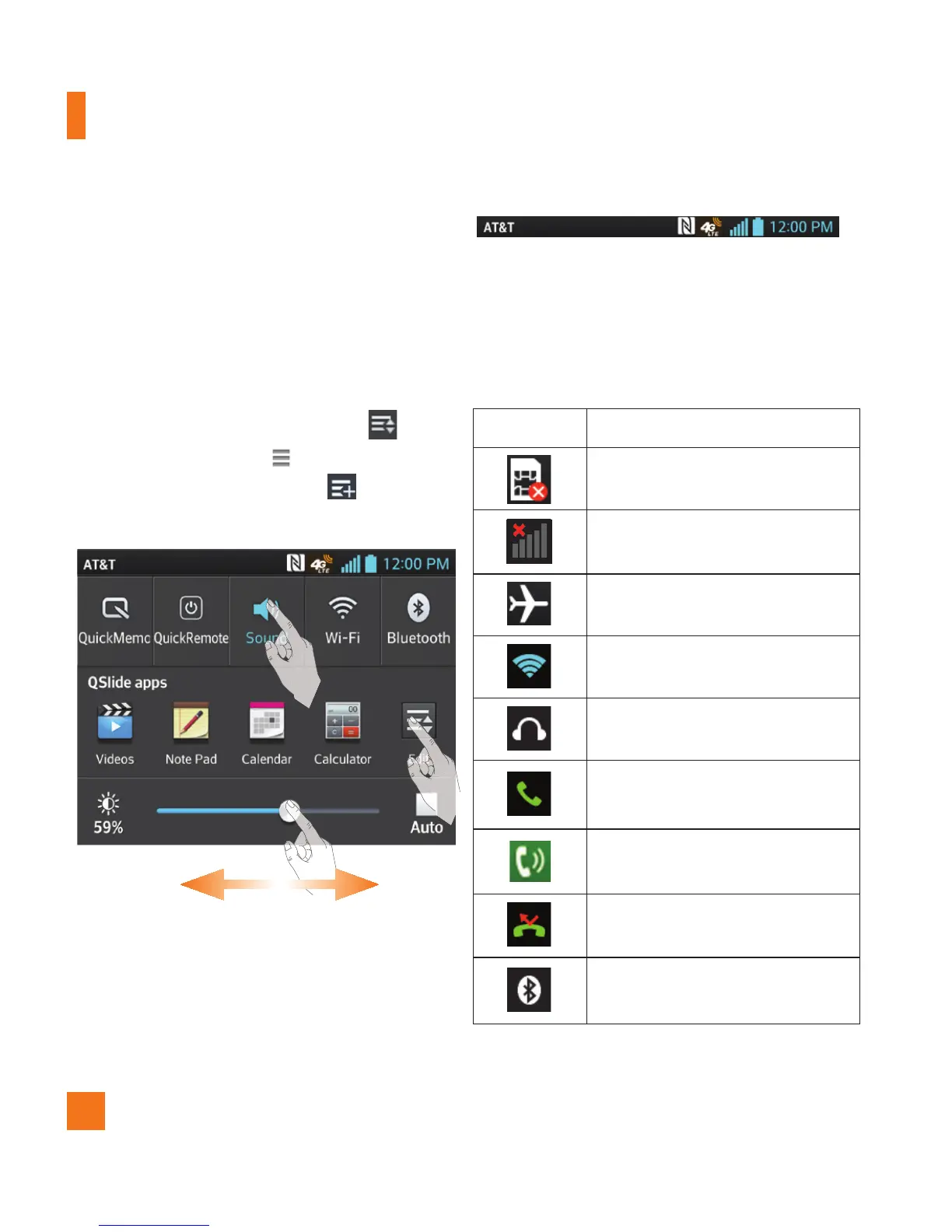
Touch and hold an icon on the Quick Settings
menu to go directly to that setting's menu
screen.
To rearrange Quick Setting items on the
Notification panel
Open the Notifications panel and tap .
To rearrange items, drag to the desired
location. To add more icons, tap and select
the desired functions.
Indicator icons on the Status Bar
Indicator icons appear on the Status Bar at
the top of the screen to report missed calls,
new messages, calendar events, device status
and more.
The icons displayed at the top of the screen
provide information about the status of the
device. The icons listed in the table below are
some of the most common ones.
Icon Description
No SIM card inserted
No network signal available
Airplane mode is on
Connected to a Wi-Fi network
Wired headset connected
Call in progress
Speakerphone
Missed call
Bluetooth is on


 To Next Page
 Loading...