97
Shooting Options: The Shooting Menu
Shooting, Playback, and Setup Menus
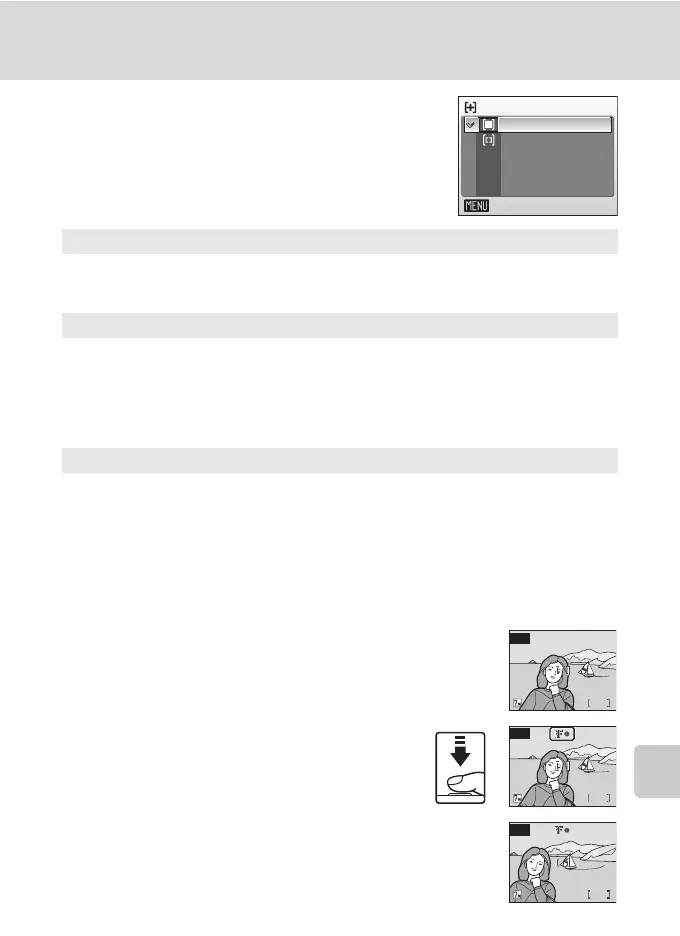
k AF Area Mode
Use this option to determine where the camera
focuses.
l Focus Lock
To focus on off-center subjects when [Center] is selected for [AF area mode], use focus lock as
described below.
1 Position the subject in the center of the frame.
2 Press the shutter-release button halfway.
• Confirm that the focus indicator (p) is green.
3 Continue holding down the shutter-release button
halfway and recompose the picture.
• Be sure that the distance between the camera and
the subject does not change.
l Auto (default setting)
Camera automatically selects the focus area (1 of 5; c 24) containing the
subject closest to the camera. The selected focus area is displayed when the
shutter-release button is pressed halfway.
m Manual
Press the rotary multi selector G, H, I, or J to select from 99 focus areas
in the frame. Pictures can be taken while focus area selection screen is dis-
played.
To end focus area selection and adjust the flash, macro close-up, self-timer,
and exposure compensation settings, press d. To return to the focus area
selection screen, press d.
n Center
Camera focuses on subject in center of frame.
Center focus area is used.
n
AF area mode
Exit
Auto
Manual
Center
6
M
L
W
6
M
W
L
6
M
W
L


 To Next Page
 Loading...









