33
Shooting Suited for the Scene - High-sensitivity Shooting Mode, Scene Mode
Shooting Suited for the Scene - High-sensitivity Shooting Mode, Scene Mode
High-sensitivity Shooting Mode
In high-sensitivity shooting mode, sensitivity is increased with shooting under
low lighting to reduce blurring caused by camera shake or subject move-
ment, allowing you to capture the atmosphere of the scene. ISO sensitivity
will be automatically increased to a maximum of 1600 depending upon the
brightness of the subject.
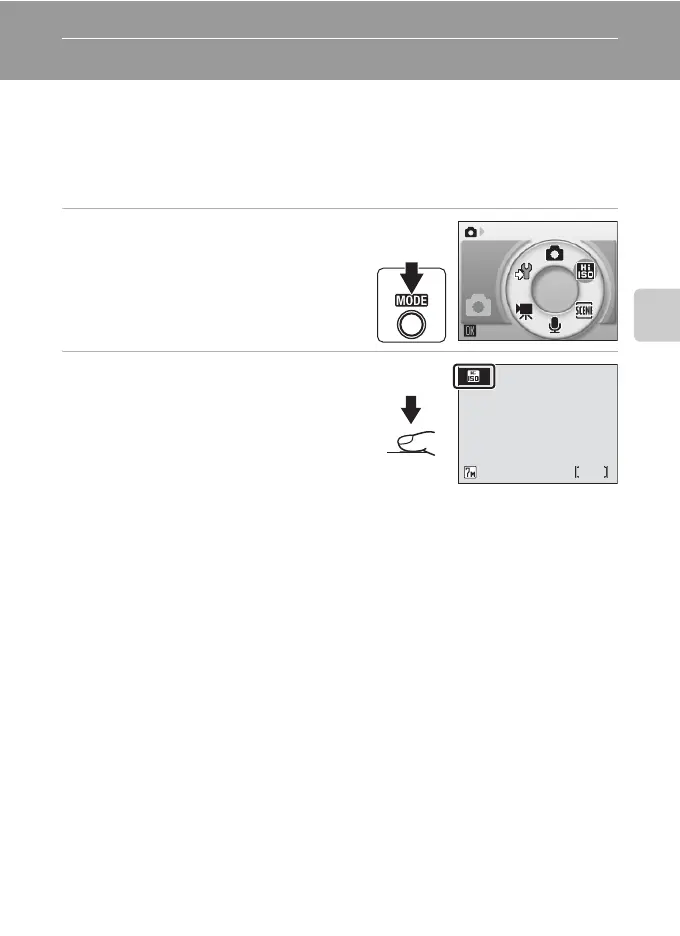
1 Enter high-sensitivity shooting
mode by pressing C in
shooting mode, selecting K
(use the rotary multi selector),
and then pressing d.
2 Frame the subject and take the
picture.
j Notes on High-sensitivity Shooting Mode
• This mode reduces effects of camera shake even for shooting under low lighting; however,
when shooting without the flash, use of a tripod is recommended. Turn vibration reduction
(c 114) off when using a tripod.
• Pictures taken in this mode may become somewhat grainy.
• Focus may not be precisely fixed in extremely dark places.
l High-sensitivity Shooting and Anti-shake Modes
Both high-sensitivity shooting mode and anti-shake mode (c 42) reduce blurring caused by
camera shake and subject movement. However, high-sensitivity shooting mode is suited for
shooting under low lighting. In some circumstances, disabling the flash may make it even eas-
ier to capture the true essence of the scene.
In high-sensitivity shooting mode, pressing m displays the high-sensitivity menu. The items
available from this menu are the same as those available in the L (auto) mode shooting
menu (c 88), except that [ISO sensitivity] is not available in the high-sensitivity menu. Just as
with L (auto) mode, the flash, self-timer, macro close-up mode, and exposure compensa-
tion are available.
In anti-shake mode, vibration reduction (c 114) and BSS (c 95) are enabled to reduce blur-
ring caused by camera shake or subject movement, and the flash is disabled. Sensitivity is set
higher and shutter speed is faster than with L (auto) mode under the same lighting condi-
tions. This mode is suited to shooting under natural light when the camera is zoomed in.
High sensitivity
M
W
6



 To Next Page
 Loading...








