77
Connecting to a Computer
Connecting to Televisions, Computers, and Printers
Transferring Pictures to a Computer
1 Start a computer to which PictureProject has been installed.
2 Turn off the camera.
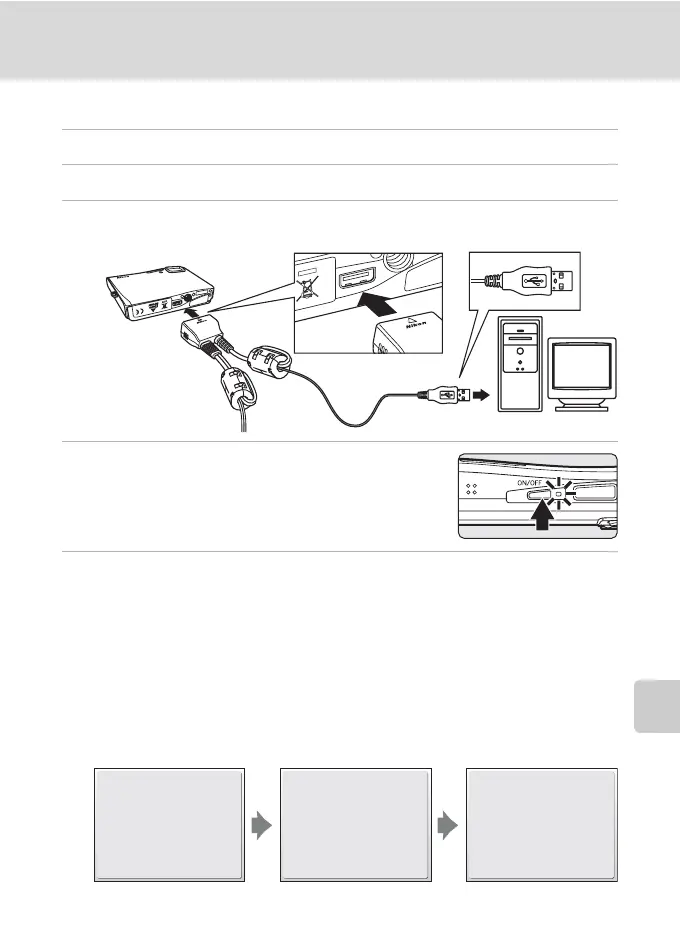
3 Connect the camera to the computer using the supplied audio
video/USB cable.
4 Turn on the camera.
At default PictureProject settings, PictureProject
Transfer is launched immediately with recognition of
camera connection.
5 Transfer pictures.
Transfer using PictureProject
Click [Transfer] in PictureProject Transfer.
All pictures and movies marked for transfer are copied to the computer. Once
transfer is complete, pictures are displayed in PictureProject.
Transfer using d (E) on the camera
While PictureProject Transfer is launched, press d (E) to copy pictures marked
for transfer (c 78) to the computer. The following messages are displayed in the
camera monitor during transfer.
I
y
Preparing to transfer.
I
y
Transferring images to
computer.
K
Transfer completed.


 To Next Page
 Loading...









