01-07-2002
YOUR 406 COUPE IN DETAIL
80
Selecting a service
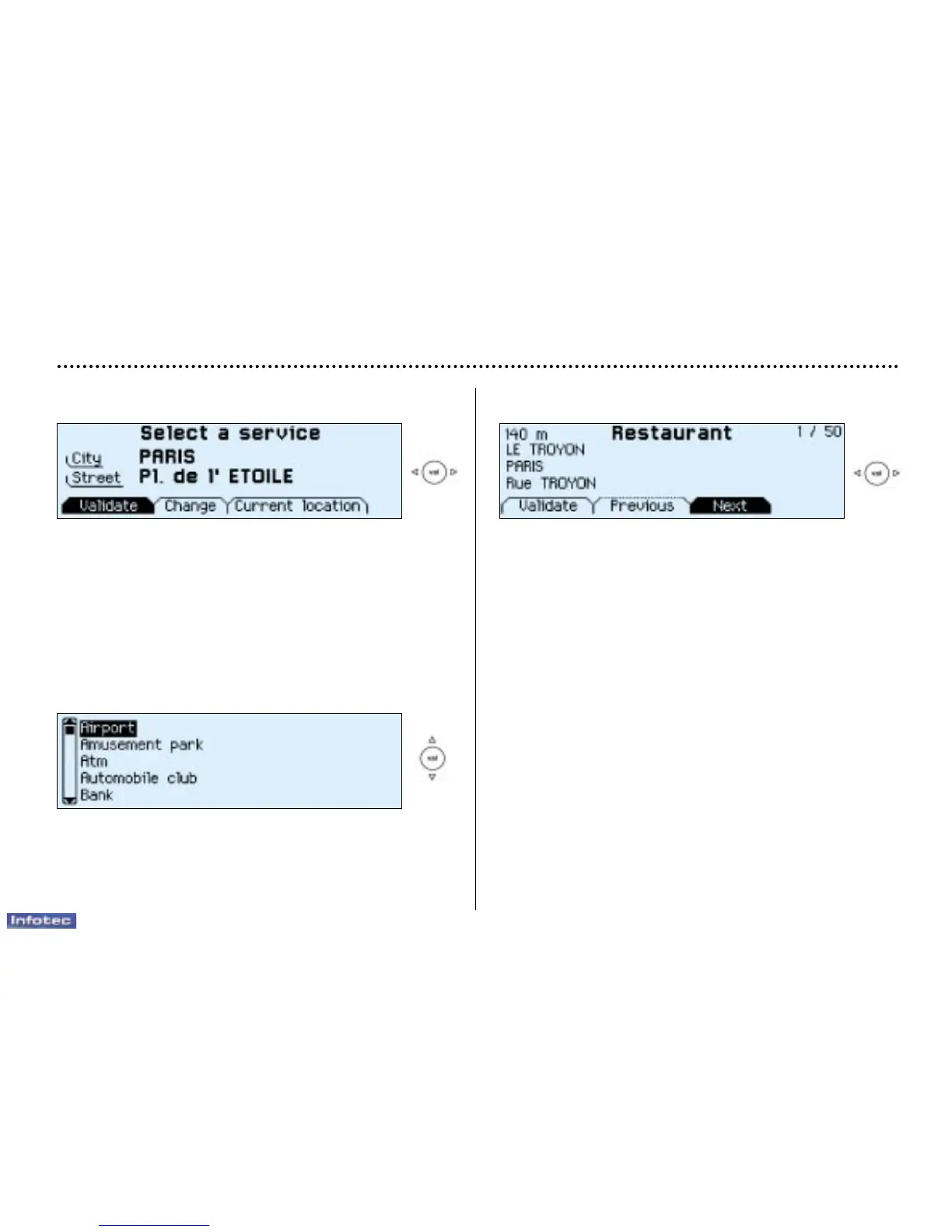
The last address entered is displayed.
There are 3 options for defining the location in which you
wish to obtain this service:
- repeat the last address entered by means of the "Vali-
date" function.
- enter the name of a new town then enter the street (or
use the "Town centre" function) by means of the
"Change" function.
- automatically enter your current location by using the
"Current location" function.
After confirming the address, select a service by scrolling
through the list using the direction arrows then press the
"VAL" button.
A cursor on the left-hand side of the screen indicates your
position in the list.
The address of the required service is displayed.
An indication on the right-hand side of the screen
(e.g. 1/50) indicates whether there are any other establish-
ments (50 maximum), which offer the same service within
a radius of approximately 30 miles (50 km), as the crow
flies.
Use the "Next" or "Previous" functions to consult the list
offered.
When the establishment of your choice is displayed, select
the "Validate" function then press the "VAL" button.
Select a guidance criterion. Guidance begins, follow the
instructions.


 To Next Page
 Loading...