6
Battery cover
The battery is under a removable cover on the back of the phone.
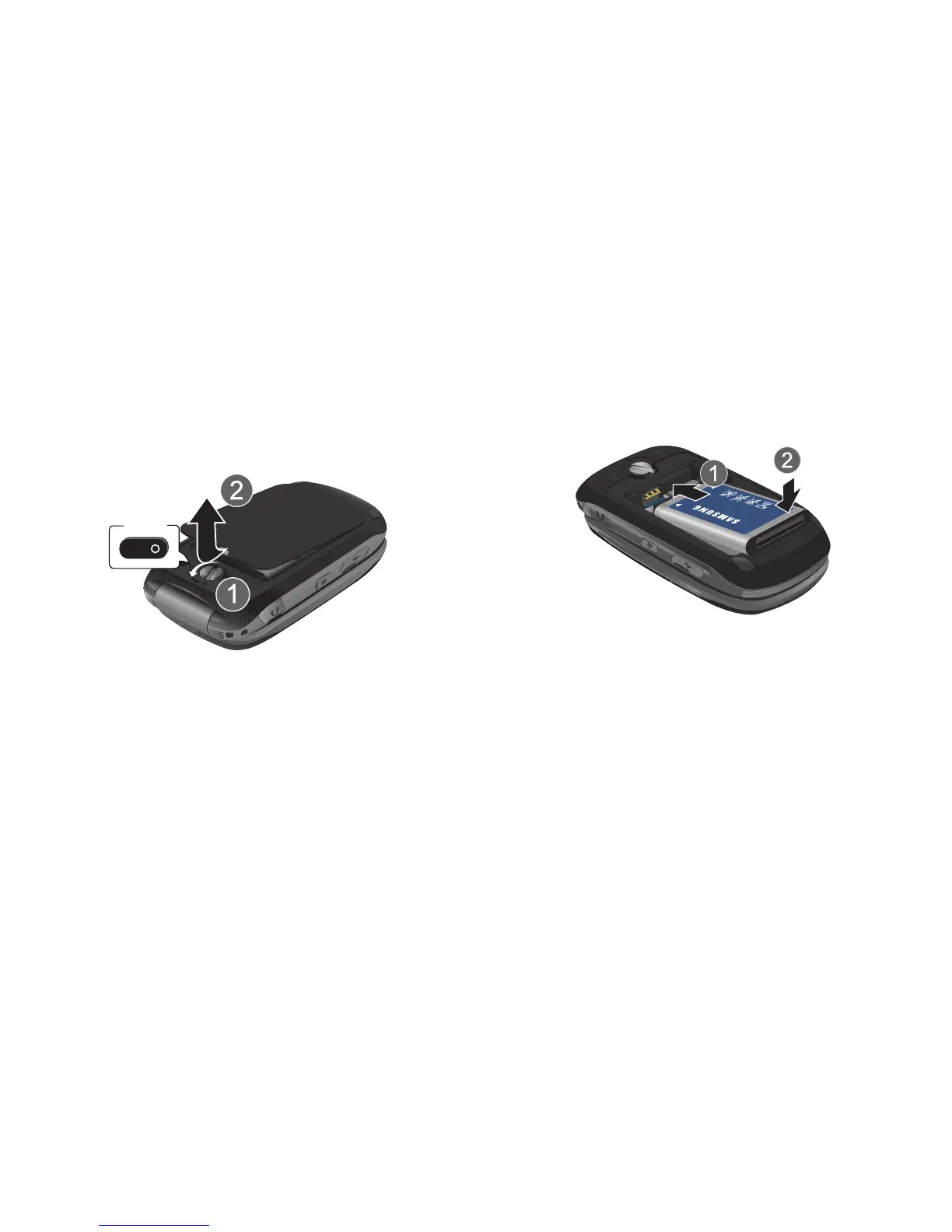
Removing the cover
1. To unlock the cover, insert the Battery Cover Removal Tool,
or a coin, into the lock and turn it counter-clockwise.
2. Lift the cover up and away from the phone.
Installing the cover
1. Press the cover into place on the phone.
2. Insert the Battery Cover Removal Tool, or a coin, into the
lock and turn it clockwise to lock the cover.
Installing the Battery
1. Remove the battery cover.
2. Insert the battery into the phone, aligning the gold contacts
on the battery with the gold contacts in the phone.
3. Install the battery cover.


 To Next Page
 Loading...










