37
LC-32LB370U/LC-50LB370U Sharp 32"/50" LED TV
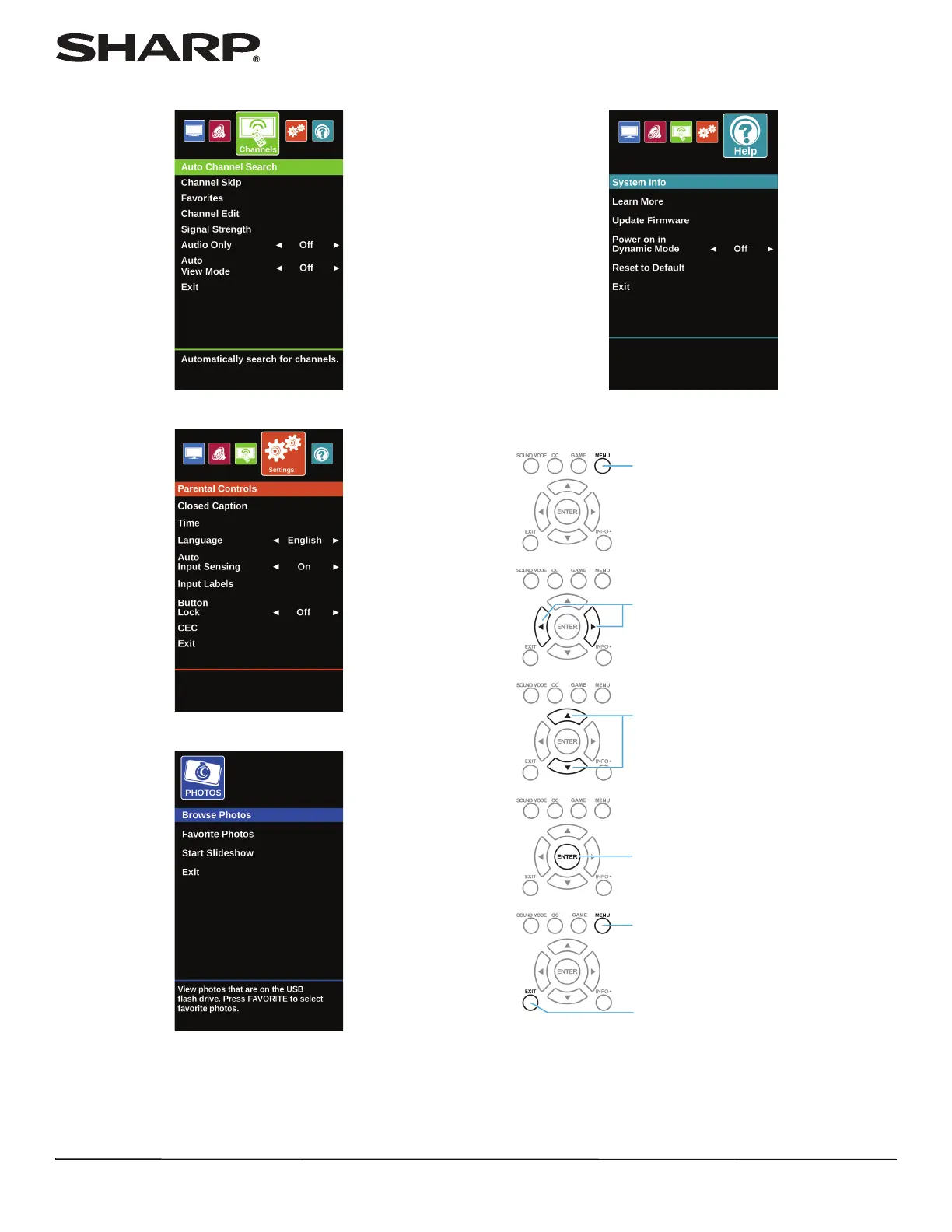
Channels menu (TV mode)
Settings menu (TV mode)
Photos menu (USB mode)
Help menu (TV mode)
Navigating the menus
Press MENU to open the on-screen menu.
Press the right or left arrow to move the cursor
on the screen or to adjust a selected item.
Press the up or down arrow to select menu
options.
Press ENTER to confirm a selection or enter a
sub-menu.
Press MENU to return to the previous menu.
Press EXIT to close the menu.



 To Next Page
 Loading...