GB
37
Using the recording functions
Setting the function using [Photo Creativity]
You can operate the camera intuitively using [Photo Creativity], since the
[Photo Creativity] screen is designed for more intuitive operations than a
normal screen. You can shoot a subject with easy operations and obtain
creative photos easily.
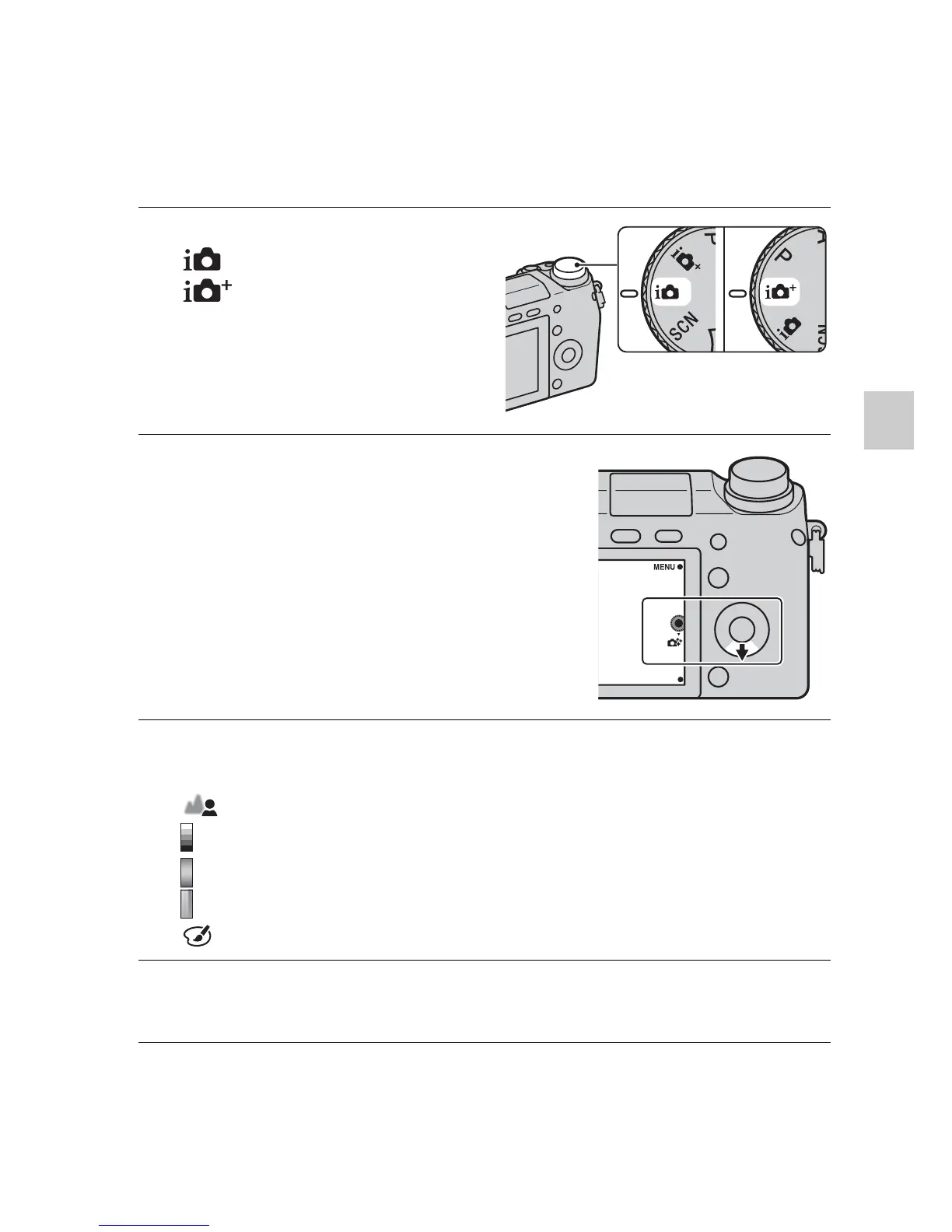
1
Set the mode dial to
(Intelligent Auto) or
(Superior Auto).
2
Press the bottom of the
control wheel.
The [Photo Creativity] screen
appears.
3
Select the item you want to adjust by pressing the right/left
of the control wheel.
(Bkground Defocus): Adjusts the blurring of the background.
(Brightness): Adjusts the brightness.
(Color): Adjusts the color.
(Vividness): Adjusts the vividness.
(Picture Effect): Selects the desired effect filter for shooting.
4
Select the desired setting by turning the control wheel.
• Repeat Steps 3 – 4 to combine the various functions.


 To Next Page
 Loading...











